
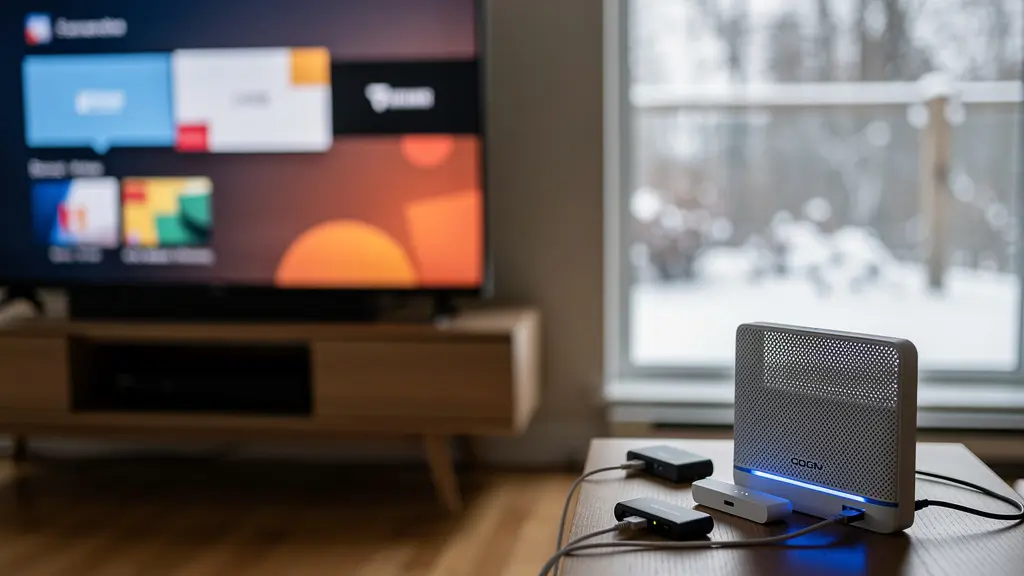
The pixelation on your 4K streams stems from traffic management failures and WiFi physics, not your gigabit bandwidth cap.
- Bufferbloat creates latency spikes that disrupt streaming buffers, even with 1000 Mbps download speeds.
- WiFi extenders can reduce throughput by approximately 50%, rendering them useless for basement penetration in Canadian homes.
- Physical media like Blu-ray delivers 80-100 Mbps bitrates, while 4K streams often use only 15-25 Mbps, explaining quality gaps.
Recommendation: Implement Smart Queue Management (SQM) on your router and verify your HDMI connections meet HDMI 2.0 standards before blaming your ISP.
It is Friday evening. You have settled in to stream the latest 4K HDR release on your new television, yet the dreaded buffering icon appears despite your gigabit fiber connection. The frustration is palpable—you upgraded to the fastest plan available, replaced your aging modem, and even positioned your router centrally. Conventional wisdom suggests that buffering results from insufficient bandwidth, prompting homeowners to upgrade speeds or restart equipment endlessly. However, the reality within Canadian network infrastructure reveals a different culprit: the mismatch between raw bandwidth capacity and intelligent traffic management, compounded by the unique physical barriers of post-war concrete construction and suboptimal routing to local exchange points. This guide approaches your home network as an ISP technician would, diagnosing the specific bottlenecks—from bufferbloat latency spikes to WiFi attenuation through foundation walls—that degrade your streaming experience. We will examine why your “gigabit” pipe fails to fill your 4K buffer, how Canadian regulatory frameworks affect traffic shaping, and which hardware configurations actually resolve these issues. By understanding the distinction between throughput and latency, and by optimizing your local network topology for media delivery, you can achieve the buffer-free performance your subscription promises without unnecessary upgrades to your monthly plan.
This comprehensive analysis breaks down the technical barriers between your ISP’s fiber line and your screen. We will explore mesh networking solutions for challenging Canadian construction, implement Quality of Service protocols to prioritize video traffic, and decode the myths surrounding premium HDMI cables. Additionally, we will cover how to test for ISP throttling under CRTC regulations and optimize your connection for proximity to Montreal and Toronto server centers.
Table of Contents: Optimizing Your Network for 4K Streaming in Canada
- Mesh vs. Extender: Which Solution Actually Penetrates Canadian Basement Walls?
- Quality of Service: How to Prioritize Your TV Stream Over Your Kid’s Game Download?
- Bitrate vs. Resolution: Why a 1080p Blu-ray Looks Better Than a 4K Stream?
- HDMI Cables: Do You Really Need a $50 “8K Ready” Cable for Streaming?
- Throttling: How to Test if Your ISP Is Intentionally Slowing Down Video Traffic?
- Ping Matters: Why Being Close to a Montreal or Toronto Server Center Changes Everything?
- When to Replace Your Router: The 3 Signs Your Connection Drops Are Hardware-Related?
- Smart TV OS Wars: Roku, Google TV, or WebOS for the Non-Tech-Savvy User?
Mesh vs. Extender: Which Solution Actually Penetrates Canadian Basement Walls?
Canadian residential construction, particularly the post-war concrete foundations common in Ontario and Quebec, presents unique challenges for RF signal propagation. The aggregate density and moisture retention in these basement walls create significant attenuation zones that standard router signals struggle to penetrate. When faced with dead zones in lower levels, homeowners often default to WiFi extenders, yet this solution introduces severe performance degradation.

According to technical analyses, extenders can be slower than your router’s Wi-Fi connection, frequently by about 50%. This reduction occurs because extenders operate on a half-duplex mechanism, receiving and rebroadcasting signals on the same channel, effectively halving available throughput for each hop. In a Canadian basement scenario, this often reduces a gigabit connection to sub-100 Mbps real-world performance, insufficient for stable 4K HDR streaming.
Mesh networks utilize dedicated backhaul channels and intelligent node switching to maintain signal integrity. Unlike extenders that create separate network SSIDs requiring manual switching, mesh systems provide seamless whole-home coverage essential for multi-floor dwellings with concrete barriers.
| Feature | Mesh Network | WiFi Extender |
|---|---|---|
| Coverage Area | Whole home coverage, removes all dead zones, best for large spaces | Specific rooms, removes targeted dead zones, creates separate networks |
| Network Management | One seamless network, automatic node switching, self-organizing connections | Manual network switching required |
| Best For | Closed floorplans with long hallways, basements, and multiple floors | One stubborn room at the edge of Wi-Fi coverage |
| Price Range (CAD) | $200 to over $2000 | $30-$100 depending on Wi-Fi standard |
Strategic placement of mesh nodes—one per floor in a typical Canadian bungalow or two-story home—ensures that the 5 GHz band, which carries 4K streams but attenuates quickly through concrete, remains robust throughout the living space.
Quality of Service: How to Prioritize Your TV Stream Over Your Kid’s Game Download?
Bufferbloat represents the most common yet least understood cause of streaming interruptions in high-bandwidth Canadian homes. This phenomenon occurs when your router buffers too much data during heavy traffic, causing latency spikes that disrupt the steady bitrate required for 4K video. Even with gigabit speeds, a concurrent game download or cloud backup can saturate your buffer queues, resulting in the pixelation you experience during prime time.
Implementing Smart Queue Management (SQM) resolves this by controlling how data packets queue at your network edge. Waveform’s Bufferbloat test helps identify if bufferbloat is causing issues with your internet connection. To implement SQM effectively, first measure your link speed without optimization, then enable SQM settings if your router supports them, configuring upload and download speeds to 90-95% of your measured maximums to prevent queue saturation.
Network Audit Plan: Eliminating Bufferbloat
- Baseline test: Run a bufferbloat measurement via Waveform to establish your current grade (A+ to F).
- Enable SQM: Access router settings and activate cake or fq_codel algorithms if available.
- Bandwidth calibration: Set SQM bandwidth limits to 95% of your measured ISP speeds to prevent saturation.
- Device prioritization: Assign your streaming devices to high-priority queues while relegating downloads to best-effort.
- Validation: Re-test under load (streaming + downloading) to confirm latency remains below 40ms.
Canadian users should note that eero mesh routers have a setting to ‘optimize for conferencing and gaming’ which is their term for SQM. By prioritizing your TV stream’s small, time-sensitive packets over the bulk TCP traffic of a game download, you ensure consistent frame delivery regardless of household bandwidth consumption.
Bitrate vs. Resolution: Why a 1080p Blu-ray Looks Better Than a 4K Stream?
Resolution specifications often mislead consumers regarding actual image quality. While a 4K stream offers four times the pixel count of 1080p, aggressive compression algorithms used by streaming services reduce the bitrate—the actual data density per frame—to levels that introduce macroblocking and color banding. HD streaming uses 3-4 GB per hour while 4K can use up to 7-10 GB per hour for streaming services, translating to approximately 15-25 Mbps. In contrast, physical 4K Blu-ray media delivers bitrates of 80-100+ Mbps, with significantly higher color depth and dynamic range metadata.
This discrepancy explains why a 1080p Blu-ray often appears sharper and more film-like than a heavily compressed 4K stream. The streaming service prioritizes bandwidth conservation over fidelity, using temporal compression that struggles with high-motion scenes. Your gigabit connection can handle the 25 Mbps stream easily, but it cannot compensate for the compression artifacts already baked into the source.
By understanding your household’s specific needs, choosing the appropriate internet type and speed, and optimizing your home network setup, you can enjoy buffer-free streaming that rivals traditional cable TV. The best internet speed for YouTube TV isn’t just about hitting minimum requirements—it’s about ensuring consistent, reliable performance.
– Compare Internet Research Team, Compare Internet Blog
For optimal viewing, ensure your streaming device reports a steady bitrate above 20 Mbps for 4K content, and consider physical media for reference-quality viewing of cinematic content.
HDMI Cables: Do You Really Need a $50 “8K Ready” Cable for Streaming?
Retail marketing often convinces consumers that premium HDMI cables improve streaming quality. However, digital signal transmission operates on a binary principle: the signal either arrives intact or it fails entirely (the “sparkle” or blackout effect). For 4K streaming at 60Hz—the standard for Netflix, Crave, and CBC Gem—HDMI 2.0 High Speed certification suffices, requiring only 18 Gbps bandwidth.
The “8K Ready” or HDMI 2.1 Ultra High Speed cables (48 Gbps) become necessary only for 4K at 120Hz gaming (PlayStation 5, Xbox Series X) or future 8K content, neither of which applies to current streaming services.
| Use Case | Required Standard | Typical Price (CAD) | Bandwidth Needed |
|---|---|---|---|
| Netflix 4K@60Hz | HDMI 2.0 High Speed | $15-25 | 18 Gbps |
| PS5/Xbox 4K@120Hz | HDMI 2.1 Ultra High Speed | $30-50 | 48 Gbps |
| 1080p Streaming | HDMI 1.4 Standard | $10-15 | 10.2 Gbps |
| 8K@60Hz Future Content | HDMI 2.1 Ultra High Speed | $40-60 | 48 Gbps |
Investing in expensive cables for streaming provides no visual benefit, as the bitrate from your Apple TV or Roku (15-25 Mbps) represents a tiny fraction of even HDMI 1.4’s capacity. Save your budget for network infrastructure improvements instead.
Throttling: How to Test if Your ISP Is Intentionally Slowing Down Video Traffic?
Under Canadian telecommunications law, Internet Service Providers must treat all data equally, yet traffic management practices can affect streaming performance. The Commission has examined issues related to net neutrality pursuant to its mandate under subsection 27(2) of the Telecommunications Act to address matters of undue preference and unjust discrimination. Historical violations include the 2015 finding that Bell Mobility and Videotron had violated the Act by zero-rating their mobile TV services and were no longer permitted to continue this practice.

If your speed test shows gigabit results but Netflix buffers, check if your ISP is throttling YouTube—if other streaming video sites work fine, it’s very likely throttling. Use Google’s Measurement Lab (M-Lab) or the Wehe app to detect differential treatment of video packets. Document speed disparities between services and times of day.
If throttling is detected, file a complaint with the Commission for Complaints for Telecom-television Services (CCTS). Consider using a VPN like Speedify to bypass ISP throttling of YouTube streaming, which encrypts traffic patterns and prevents discriminatory shaping.
Ping Matters: Why Being Close to a Montreal or Toronto Server Center Changes Everything?
Latency—the round-trip time for data packets—proves as critical as bandwidth for streaming stability. While bandwidth determines volume, latency affects buffer health; high ping causes your device to drain its video buffer faster than it refills, causing interruptions. Canadian internet architecture concentrates major IXPs (Internet Exchange Points) in Montreal, Toronto, and Vancouver. Your proximity to these centers dramatically affects streaming performance.
Rural regions in Canada often struggle with limited internet infrastructure. IPTV can still be viable if a minimum speed of 10-20 Mbps is consistently available, yet these areas face higher latency due to distance from core servers. Bandwidth determines the amount of data transmitted, while latency refers to the delay in data transmission. These metrics ensure video data is transmitted without delay, especially important for live TV and sports.
For optimal performance, an Ethernet cable offers the most stable IPTV experience by bypassing common Wi-Fi issues like interference and congestion, particularly important in homes with thick walls or multiple floors. Hardwiring your streaming device eliminates the variable latency of WiFi contention, ensuring consistent ping times to Montreal or Toronto servers.
When to Replace Your Router: The 3 Signs Your Connection Drops Are Hardware-Related?
Consumer routers have finite lifespans, and aging hardware often masquerades as ISP issues. The first indicator is age: units older than three years typically utilize WiFi 5 (802.11ac) standards that lack the OFDMA scheduling necessary for modern device density, causing buffer underruns during 4K playback.
The second sign involves bufferbloat testing. You suffer from constant Bufferbloat—test using Waveform’s tool, if grade is C or lower, you need Smart Queue Management (SQM) like cake or fq-codel algorithms. Most ISP-provided gateways cannot implement these algorithms effectively.
Third, if WiFi remains unusable in specific rooms despite signal strength indicators showing “good” coverage, your router’s radio amplifiers lack the output power for your home’s construction materials.
I never noticed additional latency from other people in the house streaming movies or downloading large files. It never shows up on my Smokeping graphs, and I never feel it when playing something latency sensitive like Team Fortress 2.
– Pat’s Head Blog, Blog post on SQM implementation
For 2023/2024, the Dynalink DL-WRX36 ($80 USD) can be flashed with OpenWrt and has a promising Qualcomm 2.2 GHz Quad-Core CPU for Gigabit SQM, offering an affordable upgrade path for Canadians seeking to eliminate hardware bottlenecks.
Key Takeaways
- Bufferbloat, not bandwidth, is the primary cause of 4K buffering in gigabit homes; enable SQM on your router.
- WiFi extenders reduce speeds by 50% and fail in Canadian concrete basements—invest in a mesh system instead.
- CRTC regulations prohibit undue preference; test for throttling using M-Lab if streams buffer while speed tests show full rates.
Smart TV OS Wars: Roku, Google TV, or WebOS for the Non-Tech-Savvy User?
The operating system of your streaming device determines app availability, interface complexity, and update longevity—factors often overlooked when troubleshooting buffering. For Canadian viewers, platform selection must prioritize access to domestic services like CBC Gem, Crave, and TSN/Sportsnet alongside international offerings.
| Platform | CBC Gem | Crave | TSN/Sportsnet | Interface Complexity |
|---|---|---|---|---|
| Roku | Available | Available | Limited | Simple grid layout |
| Google TV | Available | Available | Full support | Content aggregation |
| Apple TV | Available | Available | Full support | Premium interface |
| WebOS (LG) | Available | Available | App dependent | Complex remote |
Roku’s minimalist remote and grid interface cater to users seeking simplicity, while Google TV offers superior voice search capabilities for Canadian content. Built-in smart TV systems (WebOS, Tizen) often receive infrequent updates and utilize slower processors than dedicated streaming devices, potentially causing interface lag that mimics network buffering.
Frequently Asked Questions About Canadian Streaming Setup
Which platform is easiest for seniors to use?
Roku’s simple grid interface with minimal remote buttons is typically easiest for seniors who ‘just want to watch CBC News’.
Can I search for Canadian content using voice commands?
Google TV and Apple TV offer the best voice search for Canadian content, understanding queries like ‘Show me Letterkenny on Crave’.
Do I need a separate device or can I use my TV’s built-in system?
Built-in systems (WebOS, Tizen) work but often have slower processors and less frequent app updates compared to dedicated streaming devices.
Evaluate your current network setup against these technical standards to identify where your 4K streaming pipeline fails. Start with a bufferbloat test, then map your WiFi coverage—fixing these foundational issues costs less than upgrading your internet plan and delivers immediate results.