

The switch to VR training is less about novelty and more about achieving measurable gains in skill retention and confidence, but only when specific Canadian operational and legal hurdles are cleared.
- Virtual Reality boosts learning retention up to 80% and learners feel over 3.75x more emotionally connected to content than in traditional classroom settings.
- Success requires navigating Canadian-specific challenges: PIPEDA/Quebec Law 25 for biometric data, CCOHS guidelines for user safety, and leveraging federal grants like the CDAP to manage costs.
Recommendation: Focus on a phased rollout that prioritizes ergonomic onboarding, robust data governance, and creating a culture of adoption to avoid the “expensive TV” syndrome.
As an HR director in Canada, you’re constantly seeking more effective ways to develop soft skills like empathy and conflict resolution. Traditional role-playing workshops can feel artificial, and the era of “Zoom fatigue” has shown the limits of standard e-learning modules. The promise of Virtual Reality (VR) training—offering immersive, repeatable, and safe practice environments—is compelling. Many articles will tout the general benefits of engagement and immersion, presenting VR as a simple technological upgrade.
However, for Canadian leaders, the critical question isn’t *if* VR works, but *how* to make it work within our unique operational, financial, and legal landscape. The real challenge isn’t buying a headset; it’s architecting a program that respects our stringent privacy laws, ensures employee safety under national guidelines, and proves its financial worth to the C-suite. Generic advice often fails to address the specific hurdles of implementing VR in a Canadian context, from managing cybersickness according to CCOHS standards to navigating the complexities of biometric data under PIPEDA and Quebec’s Law 25.
This guide moves beyond the hype to provide a pragmatic roadmap for Canadian HR directors. We will dissect the practical problems you’ll face and offer specific, actionable solutions for each. From calculating the true cost of ownership, including GST/HST, to leveraging federal grants and building a sustainable adoption culture, you’ll gain the insights needed to launch a VR training initiative that is not only innovative but also compliant, safe, and effective.
This article provides a comprehensive overview of the key considerations for implementing a successful VR training program in a Canadian corporate environment. Explore the sections below to navigate each strategic challenge.
Summary: A Practical Guide to VR Training Adoption in Canada
- The “VR Hangover”: How to implement training without making 20% of your staff nauseous?
- Quest vs. PC-VR: Do you need a $3000 computer to run effective training modules?
- Sanitization Protocols: How to safely share headsets during flu season?
- VR vs. Zoom: Why retention rates are 4x higher with immersive learning?
- Eye Tracking Data: Who owns the biometric data collected during employee training?
- Adopting AI assistants: The 3-week implementation plan for non-tech teams
- The “Expensive TV” Syndrome: How to get staff to actually use the interactive features?
- Haptic Suits: Are They a Gimmick or the Future of Immersive Gaming?
The “VR Hangover”: How to implement training without making 20% of your staff nauseous?
The phenomenon known as “cybersickness” or the “VR hangover” is one of the most significant barriers to user adoption. Symptoms like nausea, dizziness, and headaches are caused by a disconnect between visual motion in VR and the body’s physical stillness. For an HR director, this isn’t a minor inconvenience; it’s a critical health and safety issue that can undermine your entire program. An employee’s first experience with VR sets the tone for their future engagement. A negative initial session can create lasting resistance, a particular concern when training is meant to foster psychological safety, as seen in programs like the Regina Work Preparation Center which helps newcomers adapt to Canadian workplace culture.
The solution lies in establishing robust ergonomic guardrails from day one. This proactive approach treats cybersickness as a manageable risk rather than an unavoidable side effect. A structured onboarding process is essential. Based on guidance from the Canadian Centre for Occupational Health and Safety (CCOHS), your protocol should include several key steps to ensure user comfort and safety.
A successful onboarding protocol involves a gradual acclimatization process. Key steps include:
- Conducting pre-screening for vestibular sensitivity before any VR exposure.
- Starting first-time users with short, 5-10 minute sessions and progressively increasing the duration.
- Implementing mandatory 15-minute breaks between sessions to allow for sensory recalibration.
- Establishing a clear and penalty-free opt-out policy, ensuring employees have alternative training paths.
By framing VR onboarding through a health and safety lens, you build trust and demonstrate a commitment to employee well-being, which is fundamental to the success of any new training initiative.
Quest vs. PC-VR: Do you need a $3000 computer to run effective training modules?
One of the first questions in any VR implementation is hardware, which often boils down to a choice between standalone headsets (like the Meta Quest series) and more powerful PC-tethered VR systems. While it’s easy to assume more power is better, the decision for a Canadian enterprise requires a nuanced understanding of Total Cost of Ownership (TCO) and strategic financial planning. The goal is to find the right balance between performance, scalability, and fiscal leverage.
Standalone headsets offer unparalleled ease of use and scalability at a lower initial hardware cost. PC-VR systems, while more expensive and complex, can render more graphically intensive simulations. The table below, contextualized for Canadian businesses, breaks down the true cost implications, factoring in hardware, taxes, and ongoing support.
| Cost Factor | Quest Standalone | PC-VR System |
|---|---|---|
| Hardware Cost | $500-800 CAD | $3,000-5,000 CAD |
| GST/HST (13-15%) | $65-120 CAD | $390-750 CAD |
| Software Licensing | $30-50/month | $30-50/month |
| IT Support (Annual) | $500-1,000 | $2,000-3,000 |
| Scalability for 10 users | $5,000-8,000 | $30,000-50,000 |
Beyond the initial sticker price, Canadian businesses have a powerful tool to mitigate these costs. The Canada Digital Adoption Program (CDAP) is designed to help SMEs adopt new technologies. For businesses with annual revenues between $500,000 and $100 million, the program offers an interest-free loan and a grant of up to $15,000 to cover technology costs, which can significantly offset the investment in VR hardware and software. This makes the financial case for VR far more compelling, shifting the conversation from a capital expenditure to a strategic, government-supported investment in workforce development.
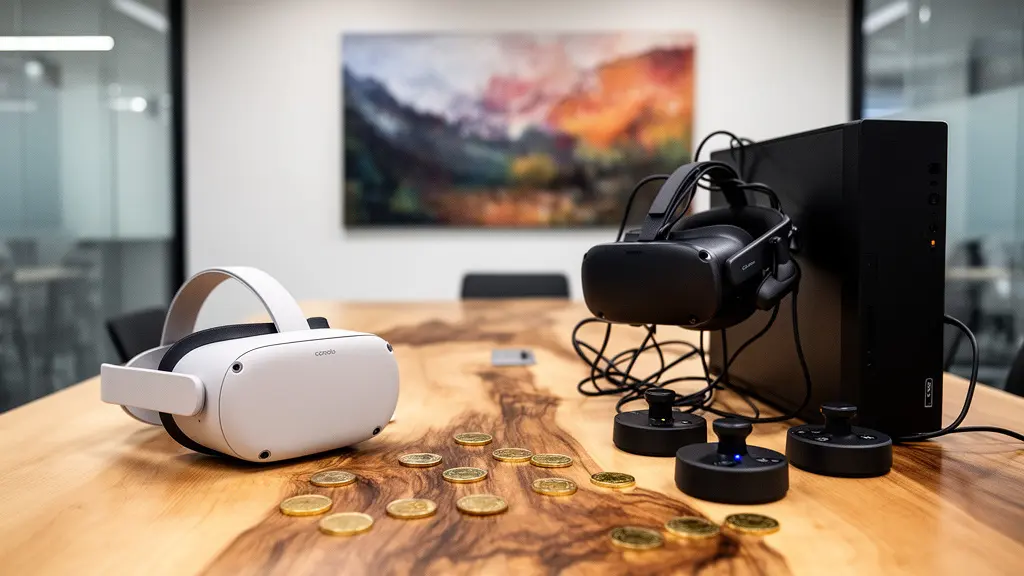
Sanitization Protocols: How to safely share headsets during flu season?
In a post-pandemic world, and with seasonal health concerns like the flu, the prospect of sharing equipment that is worn on the face requires a meticulous and transparent hygiene strategy. For an HR director, this is about more than just cleanliness; it’s about business continuity and employee trust. A single outbreak traced back to shared equipment could halt your program and damage morale. Therefore, establishing a Health Canada-compliant sanitization protocol isn’t optional—it’s a prerequisite for any scalable VR training deployment.
Your protocol must be visible, consistent, and aligned with national standards for infection prevention and control (IPAC). This demonstrates a clear commitment to employee health and can help in discussions with union representatives or joint health and safety committees. The most effective protocols combine technology with process to create multiple layers of protection.
A robust, multi-step hygiene process should include the following measures:
- Utilize UV-C sanitization cabinets for a minimum 3-minute cycle between each user to neutralize viruses and bacteria.
- Manually wipe all contact surfaces (headset, controllers) with 70% isopropyl alcohol wipes, allowing for a 30-second air-dry time.
- Replace standard foam face cushions with non-porous, wipeable silicone alternatives, which are readily available from Canadian suppliers.
- For maximum hygiene, provide each employee with their own individual face cushion, stored in a clearly labeled and sanitized container.
- Maintain a detailed sanitization log to ensure compliance with internal and external health and safety standards.
By implementing and communicating these measures clearly, you transform shared VR headsets from a potential health risk into a safe and trusted tool for professional development.
VR vs. Zoom: Why retention rates are 4x higher with immersive learning?
While video conferencing platforms like Zoom became essential for business continuity, their limitations in fostering deep learning and genuine connection are well-documented. “Zoom fatigue” is a real barrier to engagement. This is where VR training provides its most significant advantage: moving from passive observation to active participation. The “why” behind the switch to VR is rooted in cognitive science; immersive learning activates different parts of the brain, leading to dramatically higher rates of confidence and skill retention.
The data on this is compelling. It’s not just about a more “fun” experience; it’s about measurable effectiveness that translates directly into business value. A landmark study from PwC provides clear metrics on this impact. The research found that learners in VR were 3.75x more emotionally connected to content than their classroom counterparts. This emotional connection is the bedrock of soft skills training, especially for topics like empathy and diversity. When employees can “feel” a scenario rather than just watch it, the lessons are far more profound.
Furthermore, this increased connection translates directly into confidence and application. The same study revealed that VR learners were 275% more confident to apply the skills they learned after the training. This confidence is what bridges the gap between knowing and doing. This effect also has remarkable longevity. Supporting research shows that VR training can help employees retain up to 80% of information one year after training, compared to just 20% for classroom-based learning and 10% for reading. For an HR director, these metrics are the foundation of a powerful business case: VR isn’t just another training tool; it’s a more effective one.
Eye Tracking Data: Who owns the biometric data collected during employee training?
Modern VR headsets are equipped with sophisticated sensors, including eye-tracking technology. This feature can provide incredible insights into a learner’s attention, focus, and cognitive load, offering objective feedback on their performance in a simulation. However, it also means you are collecting, processing, and storing biometric data. For a Canadian HR director, this immediately triggers significant legal and ethical obligations under federal and provincial privacy laws, most notably the Personal Information Protection and Electronic Documents Act (PIPEDA) and Quebec’s highly stringent Law 25.
The central challenge is establishing a framework for biometric governance. This goes beyond a simple privacy policy; it’s a comprehensive strategy for how this sensitive data is collected, used, stored, and deleted. As the Office of the Privacy Commissioner of Canada emphasizes in its guidelines, transparency and accountability are paramount. As they state:
Organizations must ensure meaningful consent, accountability, and purpose limitation when collecting employee biometric data in VR contexts.
– Office of the Privacy Commissioner of Canada, PIPEDA Guidelines for Workplace Privacy
Failing to manage this data correctly exposes your organization to significant legal risk and can severely erode employee trust. The key is to be proactive and build your data governance plan before the first headset is ever worn.
Your Action Plan: PIPEDA Compliance Checklist for VR Biometric Data
- Obtain Explicit Consent: Secure clear, written consent from employees *before* collecting any biometric data, explaining exactly what is being collected and why.
- Define Purpose Limitation: Clearly state that data will be used exclusively for training feedback and performance metrics, and for no other purpose.
- Ensure Data Residency: Store all biometric data exclusively on Canadian servers to avoid the jurisdiction of foreign laws like the U.S. CLOUD Act.
- Practice Data Minimization: Collect only the metrics that are absolutely essential for the training objectives. Avoid collecting superfluous data.
- Establish a Privacy Impact Assessment (PIA): Conduct a formal PIA, especially if operating in Quebec, to comply with Law 25 and identify and mitigate privacy risks before launch.
Adopting AI assistants: The 3-week implementation plan for non-tech teams
Once your foundational VR framework is in place—with protocols for safety, hygiene, and data governance—you can begin exploring more advanced applications. The integration of AI-powered virtual humans represents the next frontier in soft skills training. Instead of interacting with pre-scripted scenarios, employees can engage in dynamic, unscripted conversations with an AI that responds realistically to their tone of voice, word choice, and even body language. This is particularly transformative for training on conflict resolution, negotiation, and empathetic leadership.
Companies like Canadian-based Virtro Technology are pioneering this space, developing “Smart AI Virtual Humans” that provide a level of practice that is impossible to replicate in traditional role-playing. The AI can be programmed to adopt different personalities—a frustrated customer, a defensive colleague, a nervous new hire—allowing employees to practice navigating a wide range of challenging conversations in a safe and repeatable environment. The system then provides objective, data-driven feedback on their performance.
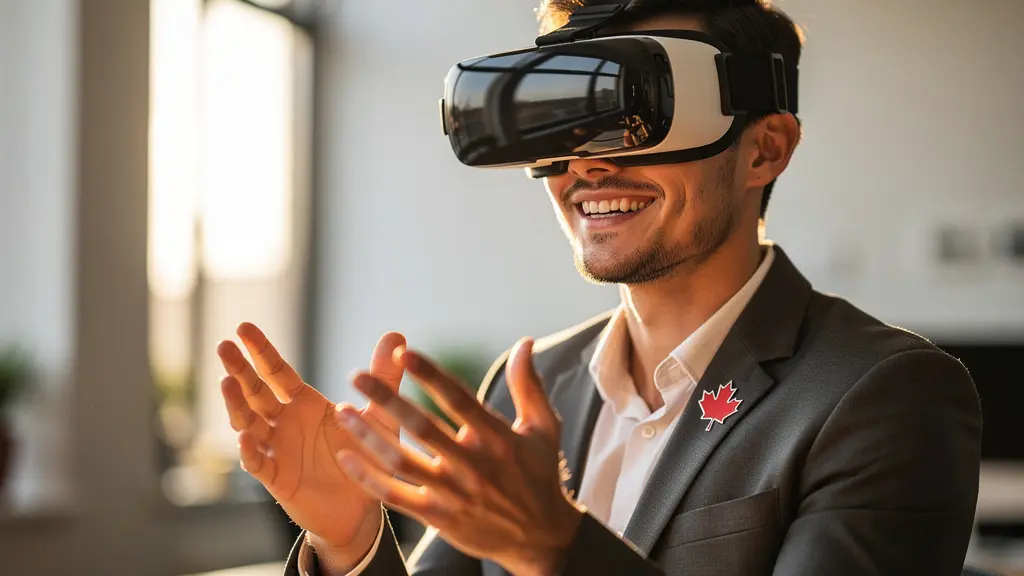
For a non-technical HR team, deploying this technology can seem daunting. A phased, three-week implementation plan can help demystify the process:
- Week 1: Pilot & Goal Setting. Identify a small, enthusiastic pilot group. Work with them and the vendor to define 1-2 key training scenarios and the specific metrics for success (e.g., use of active listening phrases, time to de-escalate).
- Week 2: Iterative Practice & Feedback. The pilot group engages with the AI assistants. The HR team gathers feedback not just on the training content, but on the user experience itself. This is a crucial phase for fine-tuning the scenarios.
- Week 3: Champion Identification & Wider Rollout Plan. Based on the pilot’s success, identify “champions” who can evangelize the technology. Develop a plan for a broader, department-by-department rollout, using the lessons learned from the pilot.
Key Takeaways
- VR training is a strategic shift requiring detailed operational, legal, and cultural planning, not just a technology purchase.
- Canadian-specific factors like PIPEDA, CCOHS guidelines, and federal grants (CDAP) are critical variables for successful implementation and ROI.
- Driving adoption through a structured ‘champions’ program is as important as the technology itself to avoid underutilization and realize the full benefits.
The “Expensive TV” Syndrome: How to get staff to actually use the interactive features?
One of the greatest fears for any HR director investing in new technology is the “expensive TV” syndrome: a powerful, feature-rich tool that sits in the corner collecting dust because no one knows how, or wants, to use it. With VR, the risk is even higher due to the novelty of the hardware. Simply making VR training available is not enough. You must actively cultivate an immersive learning culture where employees are motivated and empowered to engage with the platform.
The effort is well worth it. Beyond retention, immersion has a profound impact on a learner’s ability to concentrate. Research indicates that learners are 4 times more focused in VR settings compared to traditional e-learning, where distractions from emails and notifications are constant. Your role is to build the cultural bridge that allows employees to access this state of deep focus. This requires a grassroots approach that builds momentum from within the organization, rather than a top-down mandate.
A “VR Champions” program is one of the most effective strategies for driving organic adoption. This program should be thoughtfully designed to align with your corporate culture:
- Select champions through peer nomination, not management appointment. This ensures they are respected and trusted by their colleagues.
- Provide champions with “train-the-trainer” sessions in both English and French to support a bilingual workforce.
- Foster friendly competition, such as an inter-office “Vancouver vs. Toronto VR Challenge,” to generate excitement.
- Integrate VR module completion into formal Professional Development Plans (PDPs) to signal its importance.
- Award “VR Pioneer” digital badges that are visible in the company’s internal directory to provide public recognition.
- Regularly share success stories and testimonials from employees in internal newsletters and communications.
By empowering employees to lead the charge, you transform the VR program from an HR initiative into a shared organizational asset.
Haptic Suits: Are They a Gimmick or the Future of Immersive Gaming?
While haptic feedback suits are gaining traction in the immersive gaming world, their most compelling business case for Canadian enterprises lies far from entertainment. In high-stakes industrial and safety training, haptics represent a revolutionary step forward in creating truly embodied learning experiences. By providing physical sensations—vibrations, pressure, temperature changes—haptic technology can simulate the feeling of operating heavy machinery or the physical warning signs of a hazardous environment. This moves training from a cognitive exercise to a powerful form of muscle memory.
For industries like mining, energy, and manufacturing, this is not a gimmick; it’s a tool with a clear and measurable Return on Investment (ROI). The ability to safely simulate dangerous scenarios can dramatically reduce workplace accidents, which have enormous financial and human costs. The ROI model for haptics in a Canadian industrial context is compelling, especially when factoring in potential savings from accident prevention and tax incentives like the Scientific Research and Experimental Development (SR&ED) tax credit.
As the following data illustrates, the investment can pay for itself rapidly through a single prevented incident, as shown in this analysis of haptic technology’s financial impact.
| Application | Investment Cost | Potential Savings | ROI Timeline |
|---|---|---|---|
| Hydro-Québec Electrical Safety | $5,000/suit | $100,000+ per prevented injury | 1 prevented incident |
| Mining Safety (Suncor) | $5,000/suit | 20% reduction in injuries | 6-12 months |
| SR&ED Tax Credit Recovery | N/A | 35-45% of investment | Immediate |
Collaborations like the one between VR Vision and Siemens to enhance crane operator training underscore this trend. By replacing costly and logistically complex on-site training with lifelike VR simulations, they not only slashed costs but significantly increased operator competence and safety. For HR directors in relevant sectors, haptics are not a future consideration; they are a present-day tool for risk mitigation and performance enhancement.
To translate these insights into a concrete strategy for your organization, the next logical step is to build a tailored business case that aligns with your specific training goals and operational realities. Begin by identifying the one soft skill where improved training could have the most significant impact and use that as the foundation for your pilot program.