
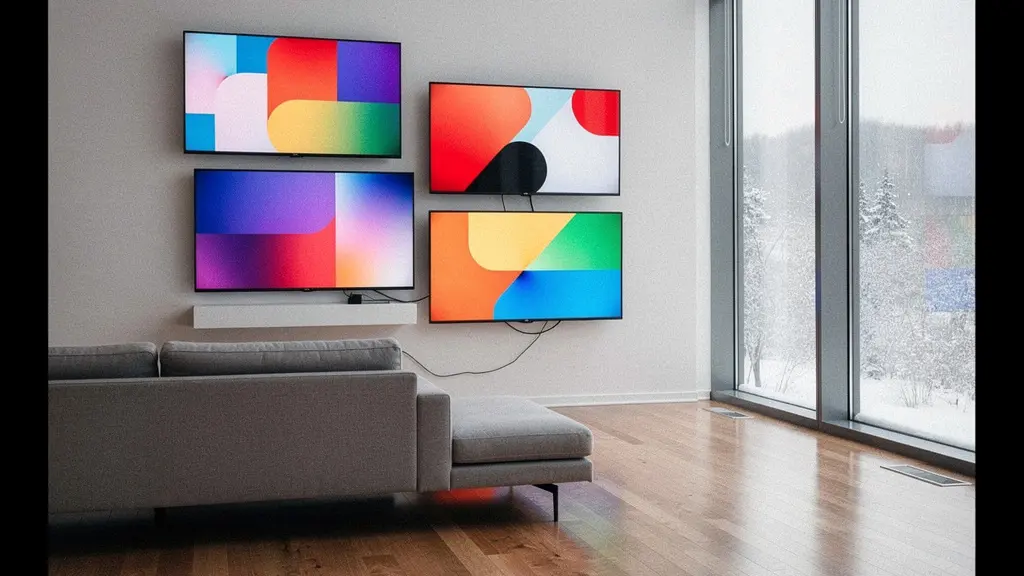
The simplest ‘smart’ TV for a senior isn’t a smart TV at all; it’s a high-quality ‘dumb’ screen paired with a cheap, replaceable streaming stick.
- Integrated TV apps inevitably become slow, unsupported, and create frustrating usability debt for non-technical users.
- External streaming sticks (like Roku or Apple TV) offer far simpler interfaces and can be replaced for under $100 when they become outdated, extending the life of your expensive TV panel.
Recommendation: Prioritize buying the best possible screen for your budget, completely ignore its built-in ‘smart’ OS, and attach a separate, top-rated streaming device for true, long-term simplicity.
You’ve been there. The phone rings, and it’s your parent. The TV is “broken” again. After 20 minutes of troubleshooting, you discover they’ve accidentally switched the input, closed the app, or landed on a confusing menu. The promise of the “smart” TV—a seamless gateway to endless entertainment—has become a source of recurring frustration and cognitive load. The industry tells you to compare features, to look at app stores, and to pick the “best” OS. But this advice misses the fundamental reality for a non-tech-savvy user: most smart features are a liability, not a benefit.
As a usability and accessibility tester, I see products not for what they promise, but for how they perform under real-world stress. For an elderly user, that stress comes from inconsistent interfaces, expiring app support, and features that actively work against a simple viewing experience. This guide will not just compare Roku, Google TV, and WebOS. It will challenge the entire premise of the integrated smart TV. We will adopt a modular strategy: separating the screen (the “dumb panel”) from the intelligence (the “smart brain”).
This approach is about building a television setup that is resilient, simple to use, and won’t require a frantic phone call every time a software update changes the layout. We will explore why the most expensive part of the TV—the panel—should be treated as a long-term investment, while the “smart” part should be a cheap, disposable, and easily replaceable component. From decoding hidden data tracking that clutters the screen to finding the absolute cheapest way to fix terrible sound for better dialogue clarity, this is your blueprint for buying peace of mind.
This article provides a complete framework for making an informed decision. Below is a summary of the topics we will cover to help you build a truly user-friendly television experience for your loved ones.
Summary: A Usability Expert’s Guide to Roku, Google TV, and WebOS in Canada
- ACR Technology: How to stop your TV from watching what you watch?
- The Update Problem: Why your Smart TV apps will stop working in 3 years (and the solution)?
- Dashboard Control: Can your TV really serve as the central command for your house?
- OLED vs. QLED: Which handles the glare of a bright Canadian living room better?
- Why modern ultra-thin TVs sound terrible and the cheapest way to fix it?
- Matter Standard: Will your Amazon Echo eventually talk to your Apple HomeKit devices?
- Bitrate vs. Resolution: Why a 1080p Blu-ray looks better than a 4K stream?
- How Streaming Algorithms Limit Your Taste (And How to Break the Bubble)?
ACR Technology: How to stop your TV from watching what you watch?
Beyond the shows you choose to watch, your smart TV is watching you. It uses a technology called Automatic Content Recognition (ACR) to identify everything you view, whether from cable, streaming apps, or a connected device. Manufacturers argue this helps recommend content, but from a usability perspective, it is a primary source of interface clutter and potential confusion. The data collected is used to serve targeted ads, sometimes as disruptive on-screen pop-ups that can be baffling for a user expecting a simple viewing experience. Ken Paxton, the Texas Attorney General, described this technology as “an uninvited, invisible digital invader” in a lawsuit, a sentiment that resonates when considering an already overwhelmed user.
In Canada, this practice is regulated by PIPEDA (Personal Information Protection and Electronic Documents Act). For instance, ACR software like Alphonso’s requires explicit user consent during TV setup to track viewing information. However, these consent screens are often designed to be quickly accepted, and navigating the settings menu to revoke consent later is a task far beyond the average non-technical user. The real problem isn’t just privacy; it’s the usability debt created by features running in the background. These systems can slow down the TV’s performance and introduce unexpected advertisements that break the simple “turn on and watch” model that is essential for an elderly parent.
The most effective way to “stop” your TV from watching you isn’t to play a cat-and-mouse game in the settings menu. It is to never connect the TV to the internet in the first place. By using our modular strategy of an external “smart brain” (like a streaming stick), the TV panel itself remains offline. This completely neutralizes ACR on the TV, eliminating a source of data collection, advertising, and system slowdown in one stroke.
The Update Problem: Why your Smart TV apps will stop working in 3 years (and the solution)?
The single biggest point of failure in a “smart” TV is the inevitable decay of its software. You buy a TV with Netflix, Crave, and Prime Video apps built-in, and for a year or two, they work perfectly. Then, they start to slow down. One day, an app refuses to load, citing the need for an update the TV can no longer receive. This is not a defect; it’s a form of planned obsolescence. The processor and memory inside the TV, sufficient at the time of manufacture, are quickly outpaced by the demands of newer, more complex app versions. The manufacturer, focused on selling new models, has little incentive to provide meaningful software updates for a three-year-old television.
This “Update Problem” is the core reason why an integrated smart OS is a poor long-term choice for a non-tech-savvy user. For them, a non-functioning app isn’t a minor inconvenience; it’s a broken television. Explaining that they need to buy a whole new TV just to watch Netflix is not a conversation anyone wants to have. This is where the modular strategy becomes a clear, logical solution. By separating the “smart brain” from the “dumb panel,” you isolate the part of the system that will inevitably fail.
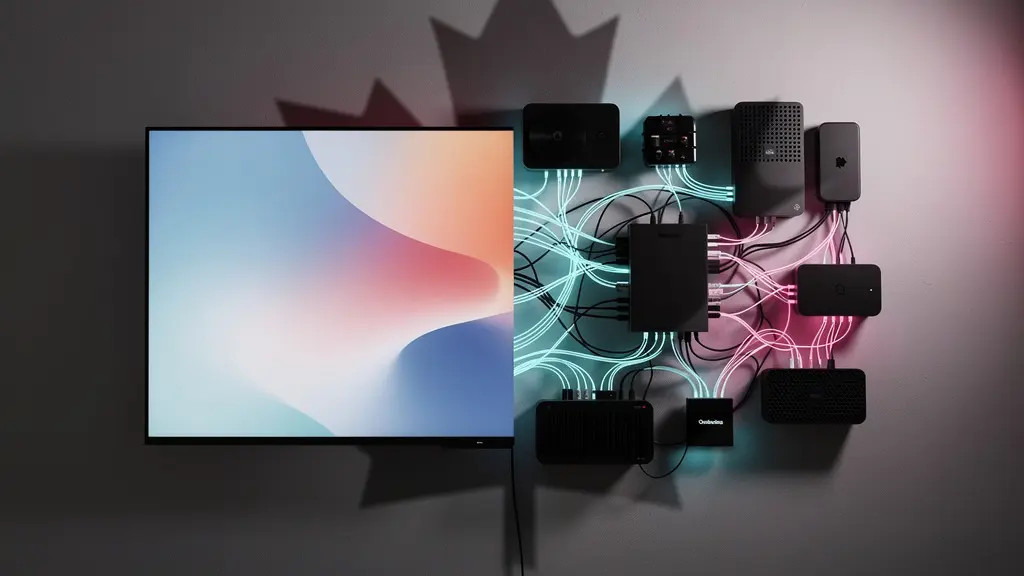
Instead of relying on the TV’s built-in, short-lived OS, you connect an external streaming device like a Roku, Apple TV, or Google Chromecast. These devices are purpose-built for one thing: streaming. They receive more frequent and longer-term software support than any TV. When a $50 streaming stick eventually becomes slow or unsupported in five years, you simply unplug it and replace it with a new, faster model. The expensive, high-quality TV panel on your wall remains perfectly functional, its lifespan extended indefinitely. This transforms the problem from “I need a new $1,500 TV” to “I need a new $50 stick.”
Dashboard Control: Can your TV really serve as the central command for your house?
Manufacturers are increasingly positioning their smart TVs as the central hub of your connected home. The dashboard on a Samsung Tizen or LG webOS TV promises to control your lights, check your security cameras, and manage your smart thermostat. From a usability standpoint for an elderly user, this is a disastrous proposition. It piles layers of unnecessary complexity onto what should be a simple device for entertainment. Each added smart home function introduces a new menu, a new icon, and a new potential point of failure or confusion, dramatically increasing the cognitive load required to simply watch a show.
For a user who struggles to remember which HDMI input the cable box is on, asking them to navigate a smart home dashboard is setting them up for failure. The goal is to reduce complexity, not to centralize it on the screen they find most intimidating. A quick look at the compatibility landscape in Canada reveals a fragmented and confusing ecosystem. A TV’s ability to integrate with local services or popular Canadian-sold products is inconsistent at best.
The following table illustrates just how complicated this integration can be. While a tech enthusiast might see possibilities, a usability expert sees a minefield of potential frustrations for a non-technical user. For example, the limited integration with Canadian telco smart home systems or the hit-or-miss support for a popular Canadian brand like Nanoleaf means there is no single, simple solution.
| TV OS | Canadian Telco Integration | Nanoleaf Support | Voice Assistants |
|---|---|---|---|
| Samsung Tizen | Limited – No direct Bell/Rogers/Telus smart home | Via SmartThings | Bixby, Alexa, Google |
| Google TV | Partial – Works with some Nest devices | Full support via Google Home | Google Assistant |
| LG webOS | None – Requires workarounds | Limited via ThinQ | Alexa, Google Assistant |
| Apple tvOS | None – Apple HomeKit only | Full HomeKit support | Siri |
The clear takeaway is to reject the TV-as-a-hub concept entirely for this user group. Keep the TV’s job simple: display a picture. Let smart home control be handled by dedicated, simpler devices like voice-activated speakers or a basic smartphone app, but do not clutter the television interface with it. The promise of eight years of software updates from some brands like VIDAA OS in Canada is tempting, but it doesn’t change the fundamental flaw of adding unnecessary complexity to the core user experience.
OLED vs. QLED: Which handles the glare of a bright Canadian living room better?
Choosing the right screen technology is the most important part of the “dumb panel” decision. In Canada, a key environmental factor is the nature of our light. We have bright, sunny days with lots of reflective snow in the winter, and long, sun-filled evenings in the summer. This means glare is a major usability issue. The two dominant premium technologies are OLED and QLED, and their performance in a bright room is dramatically different.
OLED (Organic Light Emitting Diode) TVs are celebrated for their perfect black levels. Because each pixel creates its own light, it can turn off completely, creating infinite contrast. This is fantastic for watching movies in a dark, cinema-like environment. However, they are generally not as bright as their QLED counterparts and their screens can be highly reflective, acting like a dark mirror in a sunlit room. This can be very distracting for any viewer, especially one with aging eyes.

QLED (Quantum Dot Light Emitting Diode) TVs, primarily from Samsung but also used by other brands, are a type of LCD TV with a “quantum dot” filter to enhance colour and a powerful backlight. Their key advantage is brightness. Modern QLEDs, especially higher-end “Neo QLED” models, can get incredibly bright, which is the most effective weapon against glare. They simply overpower the ambient light in the room, maintaining a vibrant, saturated image even when sunlight is streaming through the window. Many models also incorporate excellent anti-reflective screen layers.
For the typical bright Canadian living room, a QLED TV is almost always the more practical and usable choice. Furthermore, OLED technology has a higher susceptibility to image retention or “burn-in” from static on-screen elements. A case study on hockey viewing highlighted this risk; the bright white ice and static scoreboards of a three-hour Toronto Maple Leafs or Montreal Canadiens game were shown to cause temporary image retention on OLEDs, an issue QLED panels are not susceptible to due to their different technology. For a parent who might fall asleep with the news channel on all night, this makes QLED an even safer bet.
Why modern ultra-thin TVs sound terrible and the cheapest way to fix it?
As televisions have become impossibly thin, the quality of their built-in audio has plummeted. There is a fundamental conflict between sleek design and the physics of sound. Good audio requires space for speaker drivers to move air and for acoustic chambers to resonate. As one audio specialist from a Visions Electronics buyer’s guide noted, “Modern TVs are so thin that there’s simply no room for proper speaker drivers and acoustic chambers.” This results in a thin, tinny sound that completely lacks bass and, most importantly for elderly users, often has poor dialogue clarity.
For a person who may be slightly hard of hearing, mumbled dialogue can make watching television a frustrating and exhausting experience. Simply turning up the volume on bad speakers only makes the tinny sound louder and harsher. Fortunately, fixing this problem does not require a complex, expensive home theatre system. There are several simple, budget-friendly solutions available in Canada that can dramatically improve the user experience.
The number one feature to look for in a budget audio solution is dialogue enhancement or a “voice clarity” mode. This feature specifically boosts the frequencies of human speech, making it stand out from background music and sound effects. An entry-level soundbar is often the simplest all-in-one solution. It’s a single bar that sits under the TV and connects with a single cable. There are no multiple speakers to place or complex settings to configure. For users who already have smart speakers, these can sometimes be paired for a significant audio upgrade at no additional cost.
Here is a comparison of simple, cost-effective audio solutions available on the Canadian market, with a focus on ease of use and dialogue clarity:
| Solution | Price Range (CAD) | Dialogue Enhancement | Bilingual Support | Where to Buy |
|---|---|---|---|---|
| Entry Soundbar | $150-300 | Yes – Dedicated mode | Good | Best Buy Canada |
| Powered Bookshelf Speakers | $200-400 | Limited | Fair | Bay Bloor Radio |
| Google Nest Audio Pair | $250 | Yes – Via EQ | Good | Google Store |
| HomePod (existing) | $0 (if owned) | Yes – Automatic | Excellent | Already owned |
For under $200, a basic soundbar with a voice enhancement feature is the most impactful upgrade you can make to your parent’s TV setup. It directly addresses a key accessibility issue and makes the simple act of watching television far more enjoyable.
Matter Standard: Will your Amazon Echo eventually talk to your Apple HomeKit devices?
You may have seen the “Matter” logo appearing on smart home packaging. In simple terms, Matter is a new communication standard that promises to let smart home devices from different brands (like Amazon, Apple, Google, and Samsung) finally talk to each other seamlessly. For the tech world, this is a huge step towards solving the frustrating problem of incompatible ecosystems. The promise is that you could buy a Schlage lock from Home Depot Canada, Nanoleaf lights (a proud Canadian company), and a Google TV, and have them all work together flawlessly through any app or voice assistant you choose.
In the long run, Matter should make building a smart home much simpler. However, from a usability perspective for a non-technical user *today*, it remains a concept for the future. The rollout is still in its early stages. It requires compatible devices, and sometimes existing products need a “hub” (like an Apple TV 4K or a newer Amazon Echo) to be updated with new firmware to act as a Matter controller. This introduces another layer of technical management that is the exact opposite of the simplicity we are aiming for.
While some Canadian retailers are already promoting Matter-compatible devices, advising your parent to build their setup around it right now is premature. Our modular strategy—keeping the TV setup simple and isolated—means we don’t need to worry about whether the TV’s OS supports Matter. The focus remains on the core experience: watching video content. While the dream of a perfectly integrated home is appealing, it should not complicate the television, which for many seniors is a primary window for entertainment and companionship. For now, the best approach is to be aware of Matter, but not to let it influence your purchasing decision for a simple TV setup.
Your Action Plan: A Matter-Ready Shopping Guide for Future-Proofing
- Look for the ‘Matter Certified’ logo on smart home products at Canadian retailers if you plan to expand the smart home later.
- Consider products with strong Matter support like Schlage Encode Plus locks at Home Depot Canada or the Nanoleaf Shapes and Elements series.
- Ensure any smart home hub you purchase, like a Philips Hue Bridge or a 4th gen Amazon Echo, explicitly supports Matter controller functionality for future use.
- Check if your existing hub (e.g., Samsung SmartThings, Apple TV 4K) has received the firmware update to act as a Matter controller.
- For maximum simplicity now, focus on devices that work well within a single ecosystem (e.g., Google Home or Apple HomeKit) rather than mixing and matching with Matter as the only bridge.
Bitrate vs. Resolution: Why a 1080p Blu-ray looks better than a 4K stream?
When choosing a TV, we are conditioned to focus on resolution—4K, 8K, and so on. However, resolution is only half the story. The other, often more important, factor in picture quality is bitrate. Bitrate refers to the amount of data used to encode one second of video. A higher bitrate means more data, which translates to a more detailed, cleaner, and more stable image with fewer distracting digital artifacts. This is a critical concept that directly supports our “Dumb Panel + Smart Brain” strategy.
Streaming services, especially in Canada, must balance quality with data consumption. To ensure a smooth experience for users with varying internet speeds, they use heavy compression, which lowers the bitrate. This is why a “4K” stream from some services can look soft, blocky in fast motion, or washed out in dark scenes. A 1080p Blu-ray disc, by contrast, has a much higher bitrate (25-35 Mbps) than most 1080p streams (5-8 Mbps). It contains more picture information, resulting in a superior viewing experience despite the lower resolution.
This is especially true for some Canadian streaming services, which can be heavily compressed compared to their international counterparts. For example, Apple TV+ is known for its very high bitrate streams, often approaching Blu-ray quality, while other services may offer a significantly softer image.
| Service | Max Bitrate (4K) | Max Bitrate (1080p) | Quality vs Blu-ray |
|---|---|---|---|
| Crave (Bell) | Not available | 5-8 Mbps | Poor |
| CBC Gem | Not available | 3-5 Mbps | Fair |
| Netflix Canada | 15-25 Mbps | 5-7 Mbps | Good |
| Apple TV+ | 25-40 Mbps | 8-12 Mbps | Excellent |
| 1080p Blu-ray | N/A | 25-35 Mbps | Reference |
A high-bitrate stream can use a significant amount of data; up to 25GB per hour for high-quality 4K, which can be a concern for those with strict data caps from Canadian ISPs. More importantly for usability, a powerful external streaming device (like an Apple TV 4K) often has better processing and Wi-Fi hardware than a TV’s integrated system. It can better handle high-bitrate streams, providing a more stable and higher-quality image. This is yet another argument for offloading the “smart” functions from the TV itself.
Key Takeaways
- The core principle for a senior-friendly TV is the “Dumb Panel + Smart Brain” modular strategy: a great screen with a separate, simple, and replaceable streaming stick.
- Integrated smart TV operating systems are a liability due to planned obsolescence (the “Update Problem”), creating frustration when apps stop working after just a few years.
- For bright Canadian living rooms, a QLED TV is generally a more practical choice than OLED due to its superior brightness and glare handling, as well as its immunity to burn-in from static elements like hockey scoreboards.
How Streaming Algorithms Limit Your Taste (And How to Break the Bubble)?
Once you’ve set up the perfect, simple-to-use television system, there is one final human element to consider: content discovery. How will your parents find something new to watch? Relying solely on the Netflix or Prime Video homepage can be a trap. The algorithms on these platforms are designed to show you more of what you’ve already watched, creating a “filter bubble” that can be hard to escape. As one media analyst noted in a Canadian streaming landscape analysis, “Algorithms on platforms available in Canada can over-index on either US blockbusters or mandated CanCon, making it difficult to discover independent or international cinema.”
For a senior, this can mean an endless loop of the same old movies or shows, missing out on a world of content that could be more engaging and enriching. The solution is to think like a librarian, not an algorithm. It involves manually curating and introducing them to other sources of content that lie outside the mainstream bubble. This is a simple, human-to-human action that can greatly enhance their viewing experience, and Canada offers some fantastic, often free, resources to help.
Instead of just teaching them to open the Netflix app, show them how to access a service like Kanopy using their public library card. Help them create a separate profile for “serious viewing” to train the algorithm differently. This act of gentle curation transforms the TV from a passive content firehose into a curated portal of discovery. It’s the final, and perhaps most important, step in creating a truly positive and user-friendly television experience.
Your Action Plan: Bubble-Breaking Strategies Using Canadian Services
- Get a free Kanopy account with your parent’s Toronto, Vancouver, or Montreal Public Library card for a world-class collection of curated arthouse and classic cinema.
- Consider a subscription to the Criterion Channel for access to some of the most important films in history, presented without an intrusive algorithm.
- Create separate Netflix profiles: one for “guilty pleasures” (like Trailer Park Boys) and another for “serious viewing” (like NFB documentaries) to diversify recommendations.
- Use CBC Gem’s curated collections to discover excellent Canadian independent content that goes far beyond basic CanCon requirements.
- Explore film festival selections online, such as through TIFF’s digital Bell Lightbox platform, for content that mainstream algorithms will never recommend.
- Teach them the simple habit of manually searching for a specific director, actor, or genre instead of passively accepting homepage suggestions.
By moving beyond the home screen, you empower them to be active viewers. This final step completes our journey from solving technical problems to enriching the human experience of watching television.
Ultimately, choosing the right TV is not about a war between operating systems. It is about a strategic retreat from complexity. By adopting the modular “Dumb Panel, Smart Brain” approach, you are investing in a high-quality screen while treating the rapidly aging software as the cheap, disposable component it is. This ensures a simple, stable, and frustration-free experience for years to come—and might just mean fewer tech support calls from your parents.