
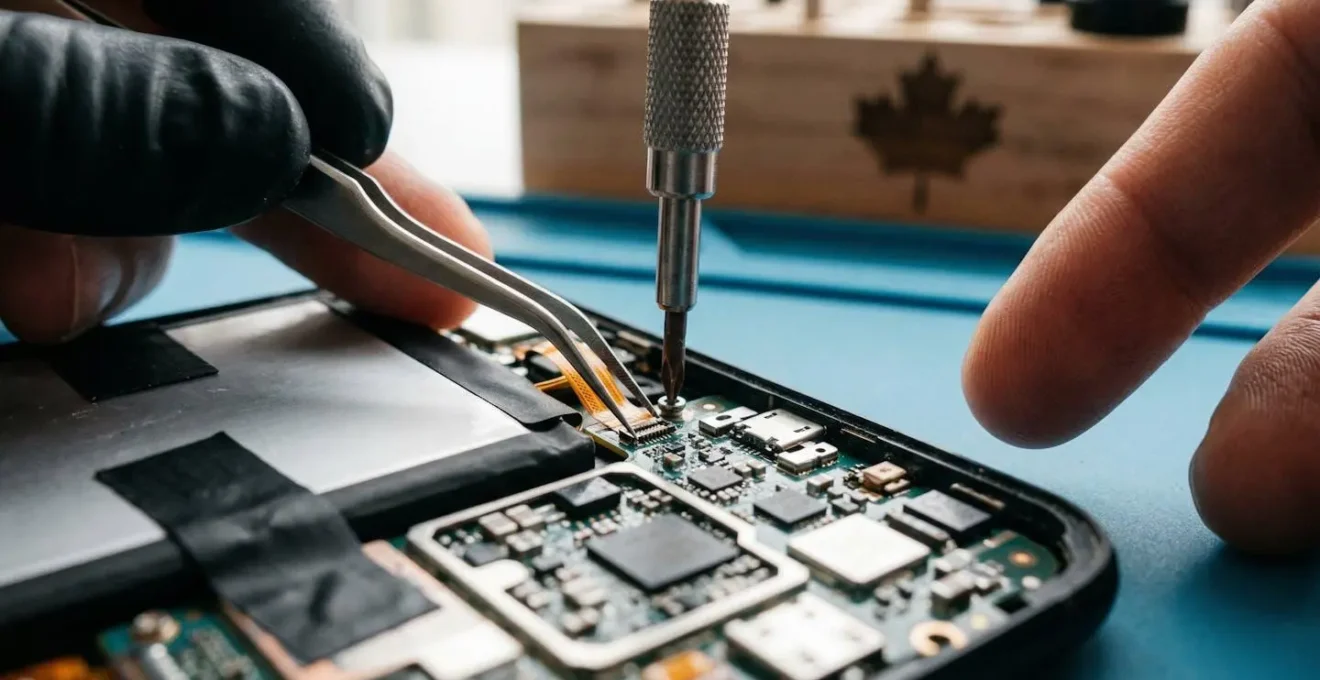
The ‘just buy a new one’ culture is a choice, not a necessity; your right to repair in Canada is a powerful tool to fight back.
- Repairing your devices is often cheaper and more sustainable than replacing them, from simple battery swaps to software updates.
- Understanding your rights and a device’s ‘repairability score’ before you buy is the most effective way to save money and prevent future headaches.
Recommendation: Use this guide as your toolkit to challenge manufacturer control, extend the life of your technology, and handle its end-of-life responsibly.
That spiderweb crack on your phone screen isn’t just broken glass; it’s a symptom of a broken system. We’ve all been there. A device fails—a battery that won’t hold a charge, a tablet that’s slowed to a crawl—and the ‘genius’ at the store gives you that rehearsed, sympathetic look. The verdict? It’s too expensive to fix, the parts aren’t available, or it’s ‘just easier’ to buy a new one. This is the narrative of planned obsolescence, a story designed to separate you from your money and your technology.
For years, manufacturers have made it intentionally difficult and costly to repair the things we own. They use proprietary screws, glue-shut batteries, and lock down software, creating a disposable economy that generates mountains of e-waste and drains our bank accounts. They tell us it’s for our own safety, for performance, or for design. But the real reason is simpler: they profit more when you’re forced to replace instead of repair.
But what if that’s a lie? What if the power was back in your hands? Thanks to a growing global movement and new legislation right here in Canada, the tide is turning. The Right to Repair isn’t just a vague concept anymore; it’s a set of developing rights and a practical mindset that gives you, the consumer, a fighting chance. This is not another article that just tells you planned obsolescence is bad. This guide is your activist toolkit. It’s the practical, gritty knowledge—from battery swaps to data security—that manufacturers don’t want you to have.
We’re going to move beyond the headlines and dive into the specific actions you can take. We’ll explore how to assess the true cost of a repair, how to breathe new life into old devices, and how to make smarter purchasing decisions that prioritize longevity. It’s time to reclaim ownership of your technology and learn how to fix your gadgets instead of tossing them.
Summary: Your Toolkit for Reclaiming Your Tech
- Sealed Batteries: Is it worth buying a heat gun to replace your own phone battery?
- Custom ROMs: How to keep an old Android phone secure after official updates stop?
- Old Tablet, New Life: How to turn a sluggish iPad into a dedicated kitchen display?
- Factory Reset is Not Enough: How to securely wipe data before recycling a hard drive?
- Beyond the Curb: Where to actually take lithium batteries and CRTs in your province?
- iFixit Scores: Why you should check the repairability rating before buying fleet phones?
- Who pays when the smart fridge software becomes obsolete after 5 years?
- Sustainable IT Procurement: How to Buy Tech That Aligns with Your ESG Goals?
Sealed Batteries: Is it worth buying a heat gun to replace your own phone battery?
They seal batteries inside for a reason, and it’s not for that sleek, unibody design they market so heavily. A non-removable battery is the ultimate tool of planned obsolescence. Once its capacity inevitably degrades, they have you right where they want you: considering a brand-new device. But armed with a little knowledge and the right tools, you can fight back. A heat gun or iOpener, a set of pry tools, and a replacement battery often cost less than a single dinner out, giving you the power to perform a transplant yourself.
The initial fear is real: “What if I break it?” But let’s look at the economics. A professional battery replacement from a major Canadian chain can be surprisingly affordable, with prices starting at $49 CAD, often with a warranty. The DIY route is even cheaper on parts, but carries the risk of damaging a component or losing water resistance. The decision is a trade-off between cost, time, and risk. What’s non-negotiable is that you have options beyond buying a new $1,200 phone.
To make an informed choice, you need to weigh the variables. This isn’t just about money; it’s about the value of your time and your comfort level with delicate electronics. The following table breaks down the real-world options for a typical phone battery replacement in Canada.
| Option | Cost Range (CAD) | Time Required | Warranty | Risk Level |
|---|---|---|---|---|
| DIY Kit (iFixit/Amazon.ca) | $30-$50 | 30 min – 2 hours | Kit parts only | High (water resistance loss, component damage) |
| Third-Party Shop (Canada) | $50-$90 | Same day | 90 days – 1 year | Medium (aftermarket parts, warranty concerns) |
| Mobile Klinik/Chain | $49-$100 | ~60 minutes | 1 year parts & labor | Low |
| Apple Authorized (Canada) | $89-$140 | 1-2 hours | Official warranty maintained | Very Low |
Looking at this data, the power shifts back to you. You’re no longer a passive victim of a dead battery; you’re a consumer making a strategic decision based on clear cost-benefit analysis. This is the first step in reclaiming ownership.
Custom ROMs: How to keep an old Android phone secure after official updates stop?
One of the most insidious forms of planned obsolescence is “end-of-life” software support. Your phone’s hardware might be perfectly fine, but the manufacturer decides to stop sending security updates, leaving it vulnerable to threats and incompatible with new apps. This is where the activist side of the repair movement truly shines. A custom ROM, like the popular LineageOS, is a community-developed version of the Android operating system that can be installed on your device, providing up-to-date security patches and features long after the manufacturer has abandoned it.
It’s an act of digital rebellion, but it’s one you should enter with your eyes open. It involves unlocking your phone’s bootloader, which can be a technical process. Furthermore, the legal landscape is complex. As Canadian legal experts point out, this can be a grey area. Legal analysis from Norton Rose Fulbright notes the tension this creates with our laws:
Installing a custom ROM (e.g., LineageOS) voids the manufacturer’s warranty and discuss its grey-area status regarding the anti-circumvention clauses of Canada’s Copyright Act.
– Norton Rose Fulbright, Right-to-repair bill passes unanimously at House of Commons
Beyond the legal questions, there are practical challenges. Some high-security applications, particularly banking apps, may refuse to run on a device with a custom ROM due to security checks like Google’s Play Integrity API. This can create a frustrating cat-and-mouse game for users.
Case Study: The Banking App Compatibility Challenge
In the world of custom ROMs, a common headache is banking app compatibility. Real-world testing by the community on forums like XDA revealed that even on non-rooted (not fully “jailbroken”) LineageOS installations, certain financial apps fail to launch. The issue stems from security checks that flag the custom operating system. While workarounds like Magisk exist to hide these modifications, it’s an ongoing battle. Before you commit to a custom ROM, it’s crucial for Canadian users to verify if their specific apps, like RBC Mobile, the TD App, or Scotiabank’s app, are known to have issues in the LineageOS community.
Old Tablet, New Life: How to turn a sluggish iPad into a dedicated kitchen display?
That old tablet sitting in a drawer, too slow for web browsing but too valuable to throw away, is a prime candidate for a second life. Instead of letting it become e-waste, you can repurpose it into a single-function device. A dedicated kitchen hub for recipes, a digital photo frame, or a smart home controller are all fantastic new jobs for old tech. This is lifecycle thinking in action: extending a device’s usefulness far beyond its intended primary purpose.
A common concern is the always-on electricity cost. Is it wasteful to keep an old tablet plugged in 24/7? The answer, especially in Canada, depends heavily on where you live. Thanks to our varied energy landscape, the cost can be negligible. A typical tablet draws about 7 watts. Running it for a full year would use around 61 kilowatt-hours. Based on data from the Canada Energy Regulator, this would cost you less than $5 a year in hydro-rich Quebec, but closer to $12 in Ontario. Even in the most expensive provinces, it’s a small price to pay to save a device from the landfill.
As the image shows, a wall-mounted tablet can be an elegant and functional addition to a modern kitchen. To be even more efficient, use a cheap smart plug to schedule the tablet to power off overnight, cutting its already low energy consumption by another 30%. The key is to see the device not for what it can’t do anymore, but for the one thing it can still do perfectly. This creative repurposing is a cornerstone of the repair and reuse philosophy.
Factory Reset is Not Enough: How to securely wipe data before recycling a hard drive?
So you’ve decided to recycle an old computer or hard drive. Your first instinct is to perform a “factory reset.” Be warned: this is often not enough. A factory reset typically just removes the pointers to your data, but the data itself can often be recovered with basic software. Handing over a drive wiped this way is like leaving the front door of your old house unlocked. All your personal files, financial documents, and private photos could be accessible to the next person.
This isn’t just a privacy risk; in Canada, it’s a matter of legal responsibility. The Office of the Privacy Commissioner of Canada (OPC) is very clear on this under our federal privacy law, PIPEDA.
Personal information that is no longer required to fulfil the identified purposes should be destroyed, erased, or made anonymous.
– Office of the Privacy Commissioner of Canada, PIPEDA Principle 5 – Limiting Use, Disclosure, and Retention
The term “erased” here means more than just deleting. It means making the data unrecoverable. For businesses, the requirements are strict, but the principles apply to everyone. You must ensure your data is truly gone before a device leaves your possession. Fortunately, the tools to do this properly are built right into modern operating systems or are readily available.
Your Checklist for Secure Data Destruction
- Enable Full-Disk Encryption First: Before you do anything, use your OS’s built-in tools (BitLocker on Windows, FileVault on Mac) to encrypt the entire drive. This is your strongest safeguard.
- Perform the Factory Reset/Reformat: Now, run the standard factory reset or format the drive. This process will destroy the encryption key, rendering the underlying scrambled data permanently unreadable. This is known as cryptographic erasure.
- Use Wiping Software for Older Drives: For older, non-encrypted mechanical hard drives (HDDs), use a dedicated disk-wiping tool that overwrites the data multiple times.
- Consider Physical Destruction for High-Sensitivity Data: If the drive contained extremely sensitive information, the only 100% certain method is physical destruction. For most people, a drill through the platters is effective. For businesses, using a NAID-certified destruction service is recommended.
- Leverage Certified Recyclers: When in doubt, use a trusted recycling service. Major retailers like Best Buy Canada and Staples Canada offer e-waste recycling programs that include certified data destruction.
Beyond the Curb: Where to actually take lithium batteries and CRTs in your province?
You’ve successfully replaced your phone battery or upgraded an old computer. Now, what do you do with the old parts? Tossing them in the blue bin or garbage is one of the most dangerous mistakes a well-intentioned person can make. Lithium-ion batteries, found in almost all modern electronics, are a significant fire hazard in recycling facilities. When punctured or crushed, they can erupt into a violent, hard-to-extinguish fire, endangering workers and infrastructure.
Case Study: The Hidden Danger in Your Blue Bin
In recent years, Canadian recycling facilities, including major operators like GFL, have reported numerous fires directly caused by improperly disposed lithium batteries. In one common scenario, a battery hidden in the waste stream gets punctured during sorting, triggering a chemical reaction called thermal runaway. The resulting fire can shut down an entire facility for days and puts lives at risk. This is precisely why Environment and Climate Change Canada regulations ban batteries from curbside collection and why dedicated drop-off programs like Call2Recycle, with thousands of locations across Canada, are so critical.
Similarly, old CRT monitors and TVs from the 90s and 2000s are filled with hazardous materials like lead and phosphor. They cannot be disposed of in landfills and require specialized handling. Responsible disposal is the final, crucial step in the repair lifecycle. Thankfully, Canada has a robust, province-by-province system of e-waste programs to handle these items safely.
Navigating this system is key. Each province has its own program, often operating under a different name, but the principle is the same: provide consumers with free, accessible drop-off points for their electronic waste. The table below, drawing on information from organizations like the national battery stewardship program Call2Recycle, provides a starting point for the major provinces.
| Province | Main E-Waste Program | Lithium Batteries | CRT Monitors/TVs | Notes |
|---|---|---|---|---|
| Ontario | EPRA (Electronic Products Recycling Association) | Call2Recycle drop-off locations + municipal depots | EPRA-approved depots | Producer responsibility model; retail take-back mandatory for major chains |
| British Columbia | Return-It Electronics | Return-It depots + Call2Recycle | Return-It depots (free) | Most comprehensive program; deposit-return system |
| Quebec | ARPE-Québec | Eco-Centres + municipal ecocentres | Eco-Centres | Separate collection from blue bins; Montreal has specific depots |
| Alberta | ARMA (Alberta Recycling Management Authority) | Call2Recycle + eco-stations | Eco-stations | Free drop-off; no deposit system |
| Manitoba | EPRA Manitoba | Call2Recycle + provincial depots | EPRA depots | Winnipeg: specific eco-depots; batteries banned from garbage since 2022 |
iFixit Scores: Why you should check the repairability rating before buying fleet phones?
The fight for your right to repair doesn’t begin when your device breaks. It begins before you even buy it. One of the most powerful tools in your activist toolkit is pre-purchase information. For years, we’ve been buying devices blind, with no idea how easy or difficult they will be to repair down the road. That’s changing. Organizations like iFixit provide detailed “repairability scores” for hundreds of phones, tablets, and laptops. They tear down new devices and rate them on a scale of 1 to 10, based on factors like whether the battery is replaceable, if standard tools can be used, and if components are modular or soldered down.
This score is your secret weapon. A phone with a score of 7/10 is likely to have an accessible battery and use standard screws. A phone with a 3/10 is probably a nightmare of glue and proprietary parts. Checking this score before you buy is a revolutionary act. It sends a direct market signal to manufacturers: we value longevity and repairability, and we will reward the companies that build products to last. This is becoming even more relevant as Canada’s own right-to-repair laws, such as Bills C-244 and C-294, take effect to combat obsolescence and promote interoperability.
As the image illustrates, the internal design of two seemingly similar phones can be worlds apart. One might be designed for easy service, with modular parts and clear pathways. The other could be a sealed box designed to thwart any repair attempt. This isn’t just a concern for individuals; it’s a massive issue for businesses managing fleets of devices. A low repairability score across a fleet of 100 phones translates to higher replacement costs, more e-waste, and a worse total cost of ownership (TCO). Choosing devices with high repairability scores is not just an environmental choice; it’s a smart financial one.
Key Takeaways
- Vote with Your Wallet: The most powerful action is taken at the point of purchase. Prioritize devices with high repairability scores and from companies with clear long-term support policies.
- Embrace the Repair Toolkit: Repair is a skill and a mindset. Whether DIY or professional, you have more options than replacement. A dead battery or slow software is a problem to be solved, not a death sentence for your device.
- Own the Full Lifecycle: Your responsibility doesn’t end when you’re done with a device. Securely wiping your data and using proper provincial e-waste channels are non-negotiable final steps.
Who pays when the smart fridge software becomes obsolete after 5 years?
The problem of planned obsolescence is expanding beyond our pockets and into our kitchens and homes. The “Internet of Things” (IoT) promises a future of convenience, but it also introduces a new vector for failure: software. What happens when your $3,000 smart fridge’s core features stop working because the manufacturer decides to shut down the servers that run them? Or when your smart washing machine no longer gets updates and becomes a security risk? You are the one who pays, left with a very expensive “dumb” appliance.
This is where consumer rights and vigilance are paramount. Marketing materials that promise a decade of smart features create a reasonable expectation of durability. When that software fails prematurely, it can be a violation of consumer protection laws that guarantee a product is fit for its intended purpose for a reasonable length of time. The Competition Bureau of Canada is actively promoting consumer awareness on this front, and in some provinces, you have explicit recourse.
The best defence is a good offence. Before you bring any smart appliance into your home, you need to become an interrogator. Ask the hard questions and demand clear answers. Your power as a consumer is greatest before you hand over your money.
Your Pre-Purchase Smart Appliance Checklist for Canadian Consumers
- Ask for the Support Window: Ask the retailer or manufacturer, “What is the guaranteed minimum software support window for this appliance?” and try to get the answer in writing.
- Verify Offline Functionality: Ask, “Do the core functions—like cooling, heating, or washing—operate perfectly without an internet connection or app access?” If possible, test this in the store.
- Question Cloud Dependency: Request clarity: “What happens to the smart features if the manufacturer discontinues its cloud services?” Understand what is processed locally versus what depends on their servers.
- Document All Promises: Save marketing brochures, web pages, and any materials that claim specific smart features. These documents establish the “fitness for purpose” expectations under your provincial Consumer Protection Act.
- Know Your Rights (Quebec-Specific): If you are in Quebec, remember your right to file a claim under Article 38 of the Consumer Protection Act if an expensive appliance’s software becomes obsolete in an unreasonably short time, which is often far less than its expected 10-15 year mechanical lifespan.
Sustainable IT Procurement: How to Buy Tech That Aligns with Your ESG Goals?
The principles of repairability and longevity aren’t just for individual consumers. They are the bedrock of sustainable IT procurement for any organization, from a small non-profit to a large corporation. How an organization buys, manages, and retires its technology has a significant impact on its budget, its environmental footprint, and its reputation. Aligning IT purchasing with Environmental, Social, and Governance (ESG) goals means moving away from a simple “lowest initial cost” model to one that considers the Total Cost of Ownership (TCO), including repair, maintenance, and end-of-life.
This means writing repairability directly into purchasing requirements. It means demanding that vendors guarantee the availability of spare parts for a minimum of 5-7 years. It means ensuring that vendors provide access to service manuals and diagnostic tools for in-house or third-party repair. This isn’t a fantasy; it’s already being put into practice by forward-thinking Canadian organizations.
Case Study: A Canadian B Corp’s Repair-Focused IT Policy
A Vancouver-based B Corp credit union integrated right-to-repair principles into their 2024 IT procurement policy as part of their ESG framework. They mandated a minimum iFixit repairability score of 7/10 for all fleet devices and negotiated warranties that included authorized repair at independent shops. They also required vendors to participate in certified provincial e-waste programs for take-back. By tracking TCO over a 5-year lifecycle, they discovered an 18% cost reduction compared to their previous 3-year replacement cycle. This resulted in a 40% reduction in their e-waste generation and enhanced their reputation, proving that repairability is both a sound financial and a powerful values-driven decision.
This approach transforms purchasing from a simple transaction into a strategic partnership for sustainability. It’s about holding suppliers accountable and building a technology ecosystem that is resilient, responsible, and economically sound. As consumers, we can demand the same level of foresight from our employers and the institutions we support.
The battle for the Right to Repair is won not just in parliament, but at the cash register, on the workbench, and at the recycling depot. Every time you choose to repair a device, question a salesperson about software support, or properly dispose of a battery, you are casting a vote for a more sustainable and equitable system. Your wallet is your ballot, and your actions have power. Start today by assessing the technology you own and demand more from the technology you buy.