

To achieve 100% uptime during a Canadian winter, you must move beyond buying individual gadgets and instead build a strategic “Resilience Stack” that systematically eliminates every single point of failure.
- Power outages are not an “if” but a “when”; a correctly-sized UPS is your first line of defense, providing critical minutes to save work and transition.
- Internet redundancy via LTE failover is no longer a luxury but a core business continuity tool, especially as fibre cuts and network congestion increase during storms.
- Your data’s biggest threat isn’t just deletion but inaccessibility. A true 3-2-1 backup strategy must include an offline, off-site copy independent of your internet connection.
Recommendation: Begin by auditing your current setup against the three core failure points—power, connectivity, and data access—to identify and mitigate your most immediate risk.
For a Canadian consultant, the dreaded sound isn’t the howl of a blizzard, but the sudden, deafening silence that follows a power cut mid-client call. Your income is directly tied to your uptime, and a winter storm can sever that lifeline in an instant. The common advice—”save your work often” or “get a good internet plan”—feels hollow when you’re staring at a blank screen and a dead router. These platitudes treat the symptoms but ignore the root cause: a home office built on a series of single points of failure (SPOFs).
True resilience isn’t about having a single, powerful backup like a generator. It’s about thinking like a business continuity planner. This means constructing a multi-layered “Resilience Stack,” a strategic system where each component anticipates and neutralizes a specific threat, from the wall socket to the cloud. This approach transforms your workspace from a fragile ecosystem into a robust fortress, capable of weathering the inevitable power surges, ice storms, and connectivity blackouts that define a Canadian winter.
This guide will walk you through building your own Resilience Stack, layer by layer. We will move beyond generic recommendations to provide a concrete plan for selecting the right power protection, implementing network redundancy, and establishing a data backup strategy that is truly disaster-proof. It’s time to stop fearing the weather forecast and start engineering for continuity.
In this comprehensive guide, we’ll deconstruct each layer of a truly resilient home office. The following sections provide a clear roadmap to help you identify vulnerabilities and implement robust solutions, ensuring your business remains operational no matter what the Canadian winter throws at it.
Summary: Building a Resilient Home Office for Winter
- UPS Battery Backup: How many minutes of power do you really need to save your work?
- LTE Failover: Is it worth paying for a backup internet line for your home office?
- Power Bar vs. Surge Protector: The $20 difference that saves your $3000 laptop
- The 3-2-1 Backup Rule: Why cloud storage alone isn’t enough for critical business data?
- When to replace your router: The 3 signs your connection drops are hardware-related
- Winter Resistance: Will your outdoor battery camera survive a -30°C Canadian night?
- No Signal: Which app navigates best when you lose data in the Rockies or rural areas?
- Cloud Storage vs. Local SD Card: Which Security Camera Setup Protects Your Privacy?
UPS Battery Backup: How many minutes of power do you really need to save your work?
The first layer of your Resilience Stack is the Uninterruptible Power Supply (UPS). It’s not about working for hours in the dark; it’s about providing a seamless, controlled transition when the grid fails. Winter storms are a primary cause of outages, with a staggering 1.4 million BC Hydro customers experiencing weather-related outages in a single recent year. A UPS gives you the crucial window to perform a graceful shutdown of your systems, preserving data integrity and preventing hardware damage from a sudden loss of power. For a consultant, this means the difference between a professional “I need to switch to my backup system” and a catastrophic disconnection.
The critical question is not “if” you need a UPS, but “how much” runtime is sufficient. The answer depends entirely on your specific context and location within Canada. A developer in a Toronto condo with stable power might only need enough time to save a complex project and shut down. A consultant in rural Alberta, where response times for power restoration are longer, needs a much larger buffer. The capacity of a UPS, measured in Volt-Amps (VA), directly correlates to the runtime it can provide for your specific load (computer, monitors, router).
Choosing the right capacity is a strategic decision based on your personal risk tolerance and operational needs. Over-provisioning is a waste of money, while under-provisioning defeats the purpose entirely. The key is to calculate the total wattage of your essential equipment and match it to a UPS that provides your desired shutdown window.
This table illustrates how runtime requirements can vary dramatically based on professional roles and the unique infrastructure challenges across Canada.
| User Profile | Minimum Runtime Needed | Recommended UPS Capacity |
|---|---|---|
| Toronto Condo Developer | 15-20 minutes | 600-900VA |
| Rural Alberta Consultant | 2+ hours | 1500-2000VA |
| Quebec Home Office | 30-45 minutes | 1000-1200VA |
Ultimately, a UPS is your non-negotiable insurance policy against the most common point of failure. It buys you time, control, and professionalism when the lights go out.
LTE Failover: Is it worth paying for a backup internet line for your home office?
With your immediate power secured, the next single point of failure is your internet connection. A winter storm can knock out your primary line through a fallen tree, a frozen switch, or a neighbourhood-wide outage, even if your power is on. For a consultant whose work is conducted over video calls and cloud services, a connection loss is a business loss. This is where LTE failover, an automated system that switches your internet to a cellular network when your primary line drops, becomes the second critical layer of your Resilience Stack.
The question of “worth” comes down to a simple cost-benefit analysis. Calculate the revenue lost from one hour of unexpected downtime. If that amount is greater than the monthly cost of a basic data-only SIM card and a compatible router, then LTE failover is not a luxury; it’s a financial necessity. Many modern routers designed for small businesses or prosumers have this feature built-in, requiring only a USB modem or an active SIM card slot. The transition can be seamless, often happening in under 30 seconds, which is fast enough to maintain a VPN connection and often go unnoticed on a video call.
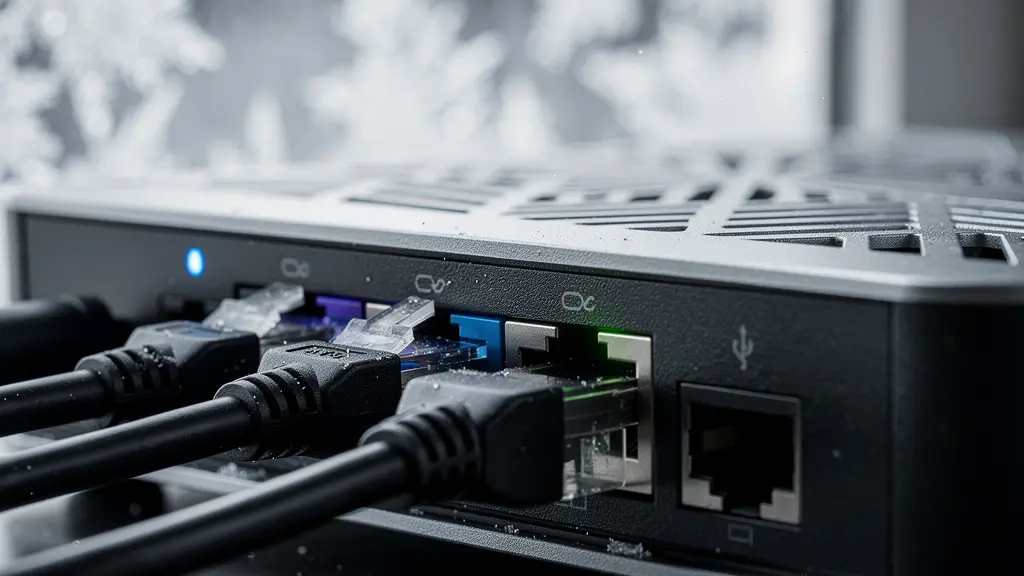
Implementing this system involves more than just plugging in a SIM card. It requires strategic thinking. You should ideally choose a cellular provider that is different from your primary internet provider to diversify your network infrastructure. For example, if your home fibre is with Bell, a Rogers or Telus SIM card for your failover provides true carrier redundancy. This protects you not only from a physical line cut but also from a core network failure affecting a single provider. The goal is to eliminate any shared dependency between your primary and backup systems.
For a consultant, the peace of mind that comes from knowing a localized internet outage won’t derail a critical client presentation or miss a deadline is invaluable. It transforms your connectivity from a vulnerability into a fortified asset, ensuring your digital door remains open for business, regardless of the conditions outside.
This proactive measure is a hallmark of a professional who plans for failure, ensuring continuity is maintained not by luck, but by design.
Power Bar vs. Surge Protector: The $20 difference that saves your $3000 laptop
Within your power resilience layer, there’s a crucial sub-layer that is often overlooked: the quality of your power distribution. It’s a common mistake to treat all power bars as equal, but a basic power bar is fundamentally different from a true surge protector. A simple power bar is merely an extension cord with multiple outlets. A surge protector, however, contains internal components (like Metal Oxide Varistors or MOVs) designed to absorb and divert excess voltage, protecting your sensitive electronics from damaging power spikes.
Canadian winters are prime time for power surges. The grid is stressed by high demand, and the restoration of power after an outage often causes a significant voltage spike that can fry a motherboard in a nanosecond. That $20 price difference between a generic power bar and a quality surge protector is the insurance premium on your multi-thousand-dollar work equipment. A surge protector’s effectiveness is measured in joules; the higher the joule rating, the more energy it can absorb before failing. For a home office with a powerful computer, multiple monitors, and networking gear, a rating of at least 2,000 joules is recommended.
In Canada, product safety is paramount. You should never purchase a surge protector that isn’t certified by a recognized body. A key standard to look for is the CSA C22.2 no.269.3 certification, which is required for these devices to be legally sold in the country. This certification ensures the product has been tested to meet rigorous safety and performance standards, guaranteeing it will function as advertised during a surge event. Using non-certified equipment not only puts your gear at risk but can also void your insurance coverage.
Case Study: Canadian Home Insurance and Surge Damage
Many Canadian home insurance policies do provide coverage for damage from power surges caused by natural events like lightning. However, there’s a critical grey area. Damage from “artificially generated currents,” such as the surge that occurs when utility companies restore power after a blackout, may be explicitly excluded. This is where a surge protector with a “connected equipment warranty” becomes vital. This warranty, offered by the protector’s manufacturer, provides a secondary layer of financial protection, covering the replacement cost of your equipment if the protector fails, often bridging the gap left by standard home insurance deductibles and exclusions.
Think of it this way: your UPS protects you from a loss of power, while your surge protector guards you against the dangers of its return. Both are essential components of a robust power foundation.
The 3-2-1 Backup Rule: Why cloud storage alone isn’t enough for critical business data?
Power and connectivity are secure, but the most valuable asset in your home office is your data. Many consultants rely solely on cloud storage like Dropbox or Google Drive, assuming their data is safe. This creates a dangerous single point of failure. The 3-2-1 backup rule is a professional-grade data protection strategy that eliminates this risk. It dictates that you should have: three copies of your data, on two different types of media, with one copy stored off-site.
Cloud storage only fulfills one part of this rule (one off-site copy). What happens if your internet is down for an extended period, or if your cloud provider has an outage, gets hacked, or suspends your account? You have no access to your business-critical files. This is why a local backup is non-negotiable. Furthermore, relying on a US-based cloud provider raises issues of data sovereignty for Canadian businesses, as data stored on American servers can be subject to the US Patriot Act.
A true 3-2-1 strategy provides layered protection. Your primary files live on your computer’s SSD (Copy 1, Media 1). An automated local backup to a Network Attached Storage (NAS) device on your home network provides a second, instantly accessible copy (Copy 2, Media 2). Finally, an encrypted copy is stored off-site, which can be either a PIPEDA-compliant Canadian cloud service or a physical hard drive at a trusted location (Copy 3, Off-site). This final, “air-gapped” physical copy is your ultimate fallback, accessible even if the entire internet goes down.
Your Action Plan: Implementing a Canadian-Compliant 3-2-1 Backup
- Primary Copy: Keep your active business files on your main computer’s internal SSD. Enable automatic file versioning features like macOS Time Machine or Windows File History for quick recovery from accidental deletions.
- Local Network Copy: Purchase a Synology or QNAP Network Attached Storage (NAS) device from a Canadian retailer. Configure it to perform automated, hourly backups of your entire system. This is your immediate, high-speed recovery option.
- Digital Off-site Copy: Use a Canadian-based, PIPEDA-compliant cloud service like Sync.com for your encrypted off-site backup. This keeps your data under Canadian privacy jurisdiction and avoids potential foreign government access.
- Physical Off-site Copy: For ultimate disaster recovery, maintain an encrypted external SSD with your most critical project archives. Store this drive at a trusted friend or family member’s home, refreshing it quarterly. This is your internet-independent “break-glass” solution.
By adhering to this rule, you are no longer just “backing up” files; you are implementing a professional data continuity plan that ensures your business can survive not just a power outage, but a catastrophic hardware failure, ransomware attack, or even the physical loss of your primary office equipment.
When to replace your router: The 3 signs your connection drops are hardware-related
You can have the fastest internet plan and a solid LTE failover, but if your router is the weak link, your connectivity will remain unreliable. Routers are not built to last forever. Their internal components degrade over time due to heat and constant use, leading to performance issues that are often mistaken for problems with your Internet Service Provider (ISP). As a business continuity planner, you must be able to diagnose when the point of failure is inside your own home. There are three key signs that your connection drops are hardware-related and it’s time to replace your router.
The first sign is frequent, random disconnects that require a reboot to resolve. If you find yourself power-cycling your router more than once a week, its internal memory or processor is likely failing. Second, a noticeable decrease in Wi-Fi range or speed is a major red flag. As the radio components age, their ability to broadcast a strong signal diminishes. You might find that areas of your home that once had a solid connection are now dead zones. Third, if the router’s casing feels excessively hot to the touch, it’s a clear indication that its internal cooling is failing, leading to thermal throttling and unstable performance.
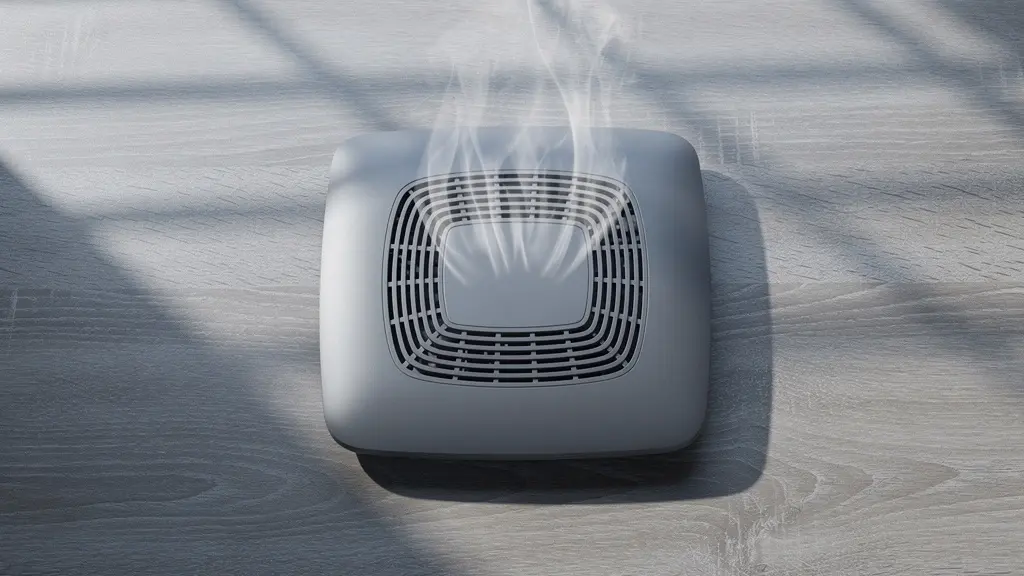
The unique construction of Canadian homes can exacerbate these issues. A consultant working from one of Toronto’s century-old brick houses will find that the dense materials significantly absorb Wi-Fi signals, putting extra strain on an aging router. In contrast, someone in a modern Vancouver condo built with steel and glass faces problems with signal reflection and interference. A sprawling ranch-style home on the Prairies may find an older single router simply can’t provide adequate coverage, making an upgrade to a modern mesh system necessary to ensure a stable connection throughout the workspace.
Upgrading your router every 3-5 years is a proactive investment in your business’s stability. When you do, choose a model designed for the demands of a modern home office, such as one with Wi-Fi 6/6E technology, robust security features (WPA3), and the processing power to handle multiple devices and high-bandwidth tasks like 4K video conferencing.
Don’t let a $200 piece of aging hardware become the single point of failure that costs you a major client.
Winter Resistance: Will your outdoor battery camera survive a -30°C Canadian night?
Extending your Resilience Stack to physical security introduces a new adversary: the Canadian cold. Many popular smart home battery-powered cameras are designed in temperate climates and will fail catastrophically when temperatures plummet. A battery’s chemical reaction slows dramatically in the cold, drastically reducing its capacity or causing it to shut down entirely, just when winter’s long nights make security most critical. A camera that dies at -10°C is not a security device; it’s a liability. Power outages only compound this issue, and as Nova Scotia Power reports, over 1,000 outages were caused by severe winter weather in one year alone, often leaving security systems without power.
When selecting an outdoor camera for a Canadian winter, the most important specification to check is its operating temperature range. Look for cameras explicitly rated to function down to -30°C or -40°C. This often means choosing a professional-grade or cold-weather-specific model rather than the cheapest consumer option. Lithium batteries perform better in the cold than alkaline, but even they have limits. For true reliability, a hardwired camera connected to a power source that is itself protected by your indoor UPS is the gold standard. This ensures your cameras keep recording even when the main grid is down.
Beyond battery chemistry, you must plan for other winter-specific challenges. Ice and frost can obscure the lens, rendering the camera useless. Proactive measures can mitigate this. Before installation, apply an anti-fog lens coating rated for low temperatures. When mounting the camera, build a small protective eave or shield above it to prevent direct ice accumulation. Whenever possible, choose a south-facing mounting position. This not only helps melt ice and snow but is also critical for cameras supplemented by a solar panel, as it maximizes exposure to the limited sunlight of short winter days.
A truly resilient security setup is one that is designed for its environment. By selecting cold-rated hardware and implementing physical protections against ice and snow, you ensure that your security perimeter remains intact and operational through the harshest conditions, providing reliable surveillance when you need it most.
A security camera that goes offline in a blizzard offers a false sense of security, which is more dangerous than no security at all.
No Signal: Which app navigates best when you lose data in the Rockies or rural areas?
A true disaster-proof plan extends beyond your home’s four walls. A severe winter storm might necessitate an evacuation, or you might be working remotely from a rural location where cellular data is unreliable or non-existent. In these scenarios, your standard navigation apps like Google Maps or Waze, which rely on a constant data connection, become useless. The final layer of personal resilience is having a reliable offline navigation solution on your mobile device.
Offline navigation works by pre-downloading detailed maps of a region or entire province directly to your phone’s storage. This allows the GPS chip in your phone—which functions independently of any cellular or Wi-Fi signal—to pinpoint your location on those stored maps. The key to a successful offline strategy is choosing an app with high-quality, detailed maps specifically for the Canadian landscape, which often includes unpaved backroads, logging routes, and trails that are absent from mainstream navigation apps.
The choice of app depends on your likely use case. An app like Maps.me might be sufficient as a backup for navigating a city during a network outage, as its maps are lightweight and focused on urban areas. However, for a consultant traveling through the BC interior or the Laurentians, a specialized app is required. Gaia GPS is a popular choice for backcountry hiking with good trail coverage, but for comprehensive rural and remote road navigation, nothing beats the digital versions of Canada’s own Backroad Mapbooks. These maps are the gold standard for anyone needing to navigate the vast, unserviced areas of the country.
As this comparison shows, the best app for Canadian wilderness navigation is often one created specifically for it, offering a level of detail that global apps cannot match. This data is provided as a public service resource by the Canadian Red Cross for emergency preparedness.
| App | Canadian Trail Coverage | Offline Map Size | Best For |
|---|---|---|---|
| Backroad Mapbooks | Excellent – Logging roads included | 2-4GB per province | Remote Canadian territories |
| Gaia GPS | Good – Major trails | 1-2GB per region | Backcountry hiking |
| Maps.me | Fair – Urban focused | 500MB-1GB | City navigation backup |
Before winter begins, downloading the maps for your province and surrounding areas is a simple, proactive step that can turn a potentially dangerous situation into a manageable inconvenience.
Key Takeaways
- True business continuity is a system, not a single product. Build a “Resilience Stack” that addresses power, connectivity, and data access in layers.
- Your UPS is for a controlled shutdown, not for working through an outage. Size it for 15-30 minutes of runtime for your essential equipment only.
- Data is your most critical asset. A 3-2-1 backup strategy with a physical, off-site copy is the only way to be truly disaster-proof.
Cloud Storage vs. Local SD Card: Which Security Camera Setup Protects Your Privacy?
In building your Resilience Stack, the final consideration isn’t just about operational uptime, but about protecting the integrity and privacy of your data. This is especially true for security camera footage. The choice between saving footage to a cloud server versus a local SD card is not just a matter of convenience; it’s a critical decision with major privacy implications for Canadians. The core issue is one of data sovereignty: who has jurisdiction over your data?
When you use a cloud storage service from a major international brand, your video footage is often sent to and stored on servers located in the United States. According to Canadian privacy laws under the Personal Information Protection and Electronic Documents Act (PIPEDA), businesses must be transparent about where data is stored. More critically, any data on US soil falls under the jurisdiction of the US Patriot Act, which could potentially grant foreign government agencies access to your private camera footage without your knowledge or a Canadian warrant. For any consultant dealing with sensitive client information that might be visible or discussed within earshot of a camera, this is an unacceptable risk.
A setup that relies on a local SD card or a Network Attached Storage (NAS) device keeps your data physically within your home and under Canadian legal jurisdiction. This provides a robust layer of privacy. However, it can be less convenient for remote access. This has led to the emergence of a hybrid storage model, which offers a powerful compromise. In this setup, continuous, high-resolution footage is recorded locally to an encrypted SD card or NAS, ensuring privacy and access during an internet outage. Simultaneously, the system is configured to send only short, low-resolution motion alert clips to the cloud. This gives you the convenience of remote notifications without exposing your complete, high-definition video history to foreign servers.
This hybrid approach, as detailed in a compliance overview by a Canadian certification advisory firm, allows you to benefit from the best of both worlds. You maintain control and privacy over your primary recordings while leveraging the cloud for its convenience in a limited, risk-managed way. It’s the final piece of the puzzle, ensuring your Resilience Stack is not just operationally robust, but also legally and privately secure.
To put these principles into practice, the next logical step is to conduct a systematic audit of your current home office setup to identify and prioritize your most critical vulnerabilities, transforming your workspace from a point of anxiety into a fortress of productivity.