
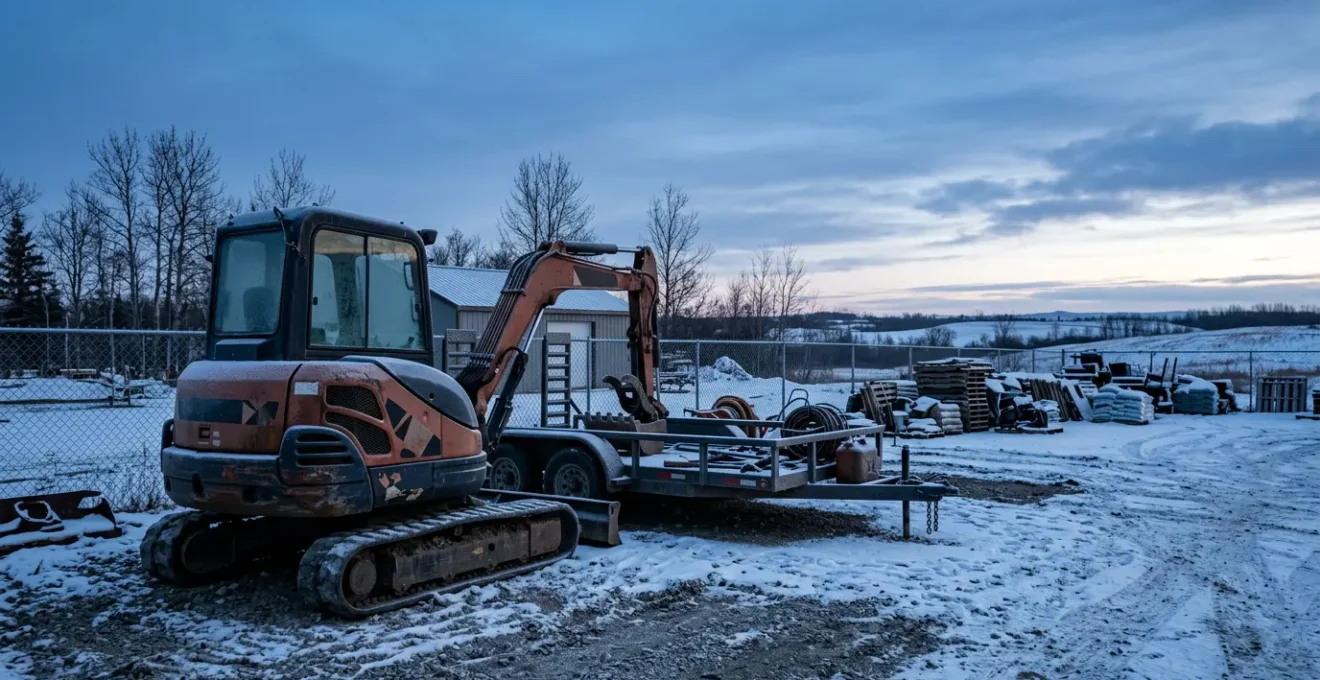
Choosing the right GPS tracker is not about the cheapest hardware; it’s about avoiding the catastrophic cost of a single asset loss during a critical job.
- Consumer trackers like AirTags have critical failure points in professional use, especially concerning real-time data and performance in low-density Canadian areas.
- A resilient system must be built for the Canadian reality: surviving -30°C winters, using intelligent alerts to avoid fatigue, and employing a layered concealment strategy.
Recommendation: Evaluate trackers based on the “Total Cost of Failure,” not just the upfront price. A single recovered $5,000 asset instantly justifies the investment in a professional system.
That sinking feeling in your stomach is all too familiar. You pull up to the job site, and the spot where the skid steer or the equipment trailer was supposed to be is just empty space. For a Canadian small business owner in construction or landscaping, equipment theft isn’t just a financial loss; it’s a direct hit to your operations, your deadlines, and your reputation. The immediate downtime, the scramble to rent a replacement, the angry phone calls—it’s a nightmare that costs far more than the asset’s sticker price.
The standard advice is often simplistic: “slap a tracker on it” or “make sure you’re insured.” While not wrong, this advice barely scratches the surface of what it takes to build a truly effective defense. Insurance is reactive, a payout after the damage is done. And not all trackers are created equal, especially when facing the unique challenges of a Canadian business environment, from a deep freeze in an unheated trailer in Calgary to the vast, sparsely populated areas outside major hubs.
The real key to protecting your assets is to move beyond simple theft prevention and build a strategy of operational resilience. This isn’t about buying a gadget; it’s about implementing a robust system that can survive our climate, outsmart sophisticated thieves, and provide intelligence that actively saves you money. The question is not just *if* you should track your equipment, but *how* you design a system that pays for itself in peace of mind, reduced downtime, and even lower insurance premiums.
This guide will walk you through the critical decisions for building that resilient system. We will dissect the true cost difference between consumer and professional trackers, explore the vital importance of winter-proofing, show you how to set up intelligent alerts that actually work, reveal professional concealment tactics, and explain how to leverage your investment to get a discount from your insurer.
Table of Contents: GPS Asset Tracking: A Guide for Canadian Businesses
- AirTag vs. GPS: When is a consumer tracker enough and when do you need a subscription?
- Winter Performance: Will your GPS tracker survive a week in a -20°C unheated trailer?
- Perimeter Breach: Setting up instant SMS alerts when equipment leaves the job site?
- Hide and Seek: Best practices for mounting trackers so thieves don’t find them instantly?
- Premium Reduction: How much can proof of GPS tracking save on your commercial equipment insurance?
- The 3-2-1 Backup Rule: Why cloud storage alone isn’t enough for critical business data?
- Winter Resistance: Will your outdoor battery camera survive a -30°C Canadian night?
- Route Optimization Software: Reducing Fuel Costs for Local Delivery Fleets?
AirTag vs. GPS: When is a consumer tracker enough and when do you need a subscription?
The first and most critical decision is choosing the right technology. It’s tempting to opt for a low-cost consumer tracker like an Apple AirTag. The upfront price is minimal, and there’s no subscription. But this decision must be based on a clear-eyed assessment of risk versus reward. Consumer trackers rely on a “crowdsourced” network; they only report a location when another person’s device (like an iPhone) comes within Bluetooth range. This works well in densely populated urban cores like downtown Toronto or Vancouver, but its effectiveness plummets on a rural construction site or in a storage yard in the suburbs.
A professional GPS tracker, by contrast, uses a dedicated cellular connection to communicate its location in near real-time, independent of any nearby devices. While this requires a hardware investment and a monthly subscription fee, it provides the reliability needed for high-value assets. The critical mistake is comparing only the upfront costs. You must consider the total cost of failure. If a $29 AirTag fails to locate a stolen $5,000 mini-excavator, the “savings” are instantly erased. The table below illustrates the total cost of ownership, but the most important line is the one at the bottom: the cost of one failed recovery.
As this comparative analysis shows, the long-term costs are distinct, but the difference in capability is what truly matters for a business.
| Cost Factor | Consumer Solution (AirTag) | Professional GPS (Cellular) |
|---|---|---|
| Hardware Cost (5 units) | $145 (5 × $29) | $400-750 |
| Monthly Subscription (36 months) | $0 | $2,160-$5,400 (5 × $20-30 × 36) |
| Total 3-Year Cost | $145 | $2,560-$6,150 |
| Annual Battery Replacement | $30 (CR2032 × 5 × 3 years) | Recharge cycles or hardwired |
| Total Cost of Ownership | $175 | $2,560-$6,150 |
| Cost of Failure: One lost $5,000 asset eliminates all savings from choosing the cheaper option | ||
So, is a consumer tracker ever sufficient? Perhaps, but only for low-stakes items under specific conditions. Use this simple litmus test for your Canadian micro-business:
- Asset Value Test: Is the equipment value under $2,000 CAD? For low-value items like a single ladder or hand tools, the risk might be acceptable.
- Coverage Test: Does it operate exclusively within dense urban areas like the GTA, Greater Vancouver, or downtown Montreal where iPhone density is high?
- Downtime Tolerance Test: Can your business afford the 2-5 days of potential asset loss and operational disruption that come with a less reliable, non-real-time tracker?
- Cross-Border Test: Will the equipment never cross into the U.S. or operate in remote, rural Canadian areas with poor crowdsourced coverage?
If you answered ‘yes’ to three or more of these questions, a consumer tracker might be a calculated risk. For anything else, especially for vehicles, trailers, and machinery critical to your revenue, a professional-grade GPS system is not a cost—it’s an essential operational investment.
Winter Performance: Will your GPS tracker survive a week in a -20°C unheated trailer?
You’ve chosen your tracker. Now, will it survive a January night in Edmonton? This is not a trivial question. Standard electronics, particularly those with lithium-ion batteries, begin to fail dramatically as temperatures drop below freezing. A tracker that dies in the cold is worse than no tracker at all, as it gives you a false sense of security. For Canadian businesses, specifying a tracker’s winter performance is non-negotiable. The key is to look beyond the marketing and into the technical specifications.
Your first checkpoint is the operating temperature range. Consumer-grade devices often falter below -10°C. In contrast, many professional GPS trackers designed for extreme conditions can operate at temperatures as low as -30°C to +60°C. This resilience comes from specialized components and, most importantly, the right battery chemistry. Standard Lithium-Ion (Li-Ion) batteries see their capacity plummet in the cold and cannot be recharged safely below 0°C. Professional cold-weather trackers use Lithium Thionyl Chloride (LTC) batteries, which are designed for stable performance in deep-freeze conditions.
Beyond the battery, you must consider the physical housing. The constant freeze-thaw cycles of a Canadian shoulder season can force moisture past weak seals. Look for devices with an IP67 or IP68 rating. This ensures the housing is dust-tight and can withstand submersion in water, which also means it can defend against melting snow, freezing rain, and ice formation on its seals. Don’t forget that extreme cold can reduce a battery’s effective life by 30-50%, so maintenance and charging schedules must be adjusted in the winter months.
Perimeter Breach: Setting up instant SMS alerts when equipment leaves the job site?
A GPS tracker’s primary job is to tell you where your asset is. Its most powerful feature, however, is telling you when it’s somewhere it shouldn’t be—instantly. Setting up a “geofence,” a virtual perimeter around your job site or storage yard, is the first step. When an asset crosses this line, the system should trigger an immediate alert. This speed is crucial; law enforcement has a much higher chance of recovery in the first few hours after a theft. In fact, studies show that GPS tracking systems that provide instant alerts achieve a recovery rate as high as 85%.
However, a poorly configured system can quickly lead to “alert fatigue.” If you get an SMS every time a foreman moves a truck across the yard, you’ll soon start ignoring the notifications altogether, defeating the purpose. The key is to build alert intelligence into your geofencing rules. Don’t just create a single perimeter; think in layers and conditions. For example, you can configure the system to only send an alert if the equipment leaves the site between the high-risk hours of 7 PM and 6 AM, or on weekends.
Another smart technique is to build in a confirmation delay. A 2-5 minute delay before an alert is sent can eliminate false positives caused by temporary GPS signal drift or an employee briefly moving equipment to an adjacent area. For ultimate control, a layered geofence strategy is best. Create an inner “work area” where no alerts are needed, a middle “parking zone” that only triggers alerts after-hours, and a final outer “perimeter breach” that triggers an immediate, 24/7 alert to multiple contacts. This level of customization turns a simple notification system into a powerful, automated security guard that you’ll actually pay attention to.
Action Plan: Configuring Smart Geofences to Avoid Alert Fatigue
- Time-Based Rules: Configure alerts to trigger only during high-risk periods—e.g., “Alert only if equipment leaves the Greater Edmonton job site between 7 PM and 6 AM or on weekends”.
- Movement Confirmation: Set a 2-5 minute delay before the alert triggers to avoid false positives from authorized movements or momentary GPS drift.
- Layered Geofences: Create nested zones—an inner ‘work area’ (no alerts), a middle ‘parking zone’ (alerts after-hours only), and an outer ‘perimeter breach’ (immediate 24/7 alerts).
- Alert Escalation: Configure the first alert to go to the supervisor via SMS, and a second alert (if the asset is still moving after 10 minutes) to the owner and a backup contact.
- Whitelist Periods: Program the system to disable alerts during known transport windows when equipment is legitimately moving between sites.
Hide and Seek: Best practices for mounting trackers so thieves don’t find them instantly?
Even the best tracker is useless if a thief finds and removes it in the first 30 seconds. Professional thieves know the common places to look: under the dash, magnetically attached to the frame, or in the glove box. Your mounting strategy must be more clever. The goal isn’t just to hide the tracker, but to employ a layered strategy of concealment and deception. The most effective approach is the decoy and deep cover method.
First, install a cheap, obvious “dummy” tracker or just a visible antenna in an easy-to-find spot. The thief will find it, feel a sense of accomplishment, and stop looking. Meanwhile, your real, professional-grade tracker is hidden in a much more secure and non-obvious location. Think about places that require tools to access or are part of the machine’s integral structure. Excellent spots include inside hollow frame rails, behind sealed factory light housings, within a complex wiring harness (disguised with electrical tape), or even inside the sealed hydraulic compartment on a skid steer.
For battery-powered trackers, consider enabling a “stealth” or “recovery” mode. This setting makes the device transmit its location only once or twice per day. While this isn’t suitable for real-time tracking, it makes the tracker nearly impossible for thieves to detect with RF signal scanners. You can then remotely switch it to live-tracking mode once you confirm a theft. This combination of a decoy, deep concealment, and signal discipline creates a robust defense that buys you the time needed for recovery.
Case Study: Successful Recovery in Western Canada
A Canadian construction company experienced the theft of a critical vehicle from one of its sites. Working directly with local police, the owner was able to provide real-time location data from a professionally installed, concealed GPS tracker. The police used this data to intercept and recover the vehicle with minimal damage. The owner later stated they were “certain the vehicle would never have been recovered without the GPS tracker,” highlighting how the combination of a professional system and proper, covert installation was directly responsible for avoiding a significant financial and operational loss.
Premium Reduction: How much can proof of GPS tracking save on your commercial equipment insurance?
Protecting your assets from theft is the primary benefit of a GPS tracking system, but there is a powerful secondary benefit that can help offset the cost: lower insurance premiums. With construction equipment theft costs Canadian businesses an estimated $46 million annually, insurers are highly motivated to reward clients who take proactive steps to mitigate this risk. Many Canadian commercial insurers offer discounts ranging from 5% to 25% for fleets and equipment protected by actively monitored GPS tracking systems.
However, you can’t simply mention you have trackers and expect a discount. You need to build a compelling case and present it professionally to your insurance broker. This involves documenting your system and proving its effectiveness. Your GPS provider should be able to issue an official certificate of installation that details the hardware and monitoring services in place. You should also compile several months of reports—geofencing alerts, after-hours movement logs, and especially any documented instances where the system prevented a theft—to demonstrate that you are actively using the technology.
The final piece is a written Theft Response Protocol. This document shows the insurer you have a clear plan: who receives alerts, how and when you contact the police, and what steps you take to aid in recovery. Armed with this complete package, your broker can negotiate with insurers like Intact, Aviva, or Northbridge on your behalf. The financial impact can be significant. For a landscaping business paying an $8,000 annual premium, a 15% discount translates to $1,200 in savings each year—often enough to cover the entire cost of the GPS tracking service itself. This transforms the tracker from a security expense into a self-funding operational tool.
The 3-2-1 Backup Rule: Why cloud storage alone isn’t enough for critical business data?
The principle of operational resilience extends beyond physical assets to your critical business data. Your quotes, invoices, client lists, and payroll information are just as valuable as a skid steer, and arguably harder to replace. Many small businesses believe that using a cloud service like Google Drive or Dropbox is a sufficient backup strategy. This is a dangerous misconception. While the cloud is a crucial component, it only represents one part of a truly robust data protection plan known as the 3-2-1 Backup Rule.
The rule is simple and effective:
- 3 Copies: Maintain at least three copies of your data. This includes your primary working data and two backups.
- 2 Different Media: Store your copies on at least two different types of storage media. This protects you from a specific technology failing. For example, if your primary data is on your laptop’s internal SSD, one backup could be on a cloud service, and the other could be on an external hard drive.
- 1 Offsite Copy: Keep at least one backup copy in a separate physical location. This is your ultimate protection against a local disaster like a fire, flood, or office theft.
Why isn’t the cloud alone enough? A cloud account can be compromised by ransomware that encrypts your files and then syncs the encrypted (and now useless) versions to the cloud. A billing error or accidental deletion could also make your files inaccessible. The 3-2-1 rule ensures that no single point of failure—be it a hardware crash, a ransomware attack, or a cloud provider outage—can wipe out your business. Having a local backup on an external drive (kept separate from your main computer) and a cloud backup gives you the layered defense needed for true data resilience.
Winter Resistance: Will your outdoor battery camera survive a -30°C Canadian night?
Just as with GPS trackers, the winter performance of outdoor security cameras is a critical consideration for any Canadian business. However, cameras face additional and distinct challenges in the cold. While a GPS tracker only needs to power a small receiver and transmitter intermittently, a security camera must power a lens, an image sensor, and, most importantly, powerful infrared (IR) illuminators for night vision, all of which consume significantly more energy.
A battery-powered camera that provides a week of life at 10°C might not last a single night at -20°C. The cold drastically reduces the battery’s effective capacity while the camera’s power demands for IR night vision remain high. This can lead to your site security effectively switching off every night during the coldest months. Furthermore, rapid temperature drops can cause condensation to form on the inside of the lens, blurring the image, or frost to form on the outside, rendering it completely blind. Look for cameras with “weatherproof” or “all-weather” ratings, but specifically check their documented operating temperature range.
For a truly reliable Canadian winter security camera setup, hardwired power is always superior to battery power. If you must use a battery, consider models that use specialized low-temperature batteries or have an optional solar panel accessory. Even with a solar panel, remember that short, overcast winter days, especially in Canada, may not provide enough charge to keep the camera running through the long, cold nights. Therefore, a realistic assessment of your site’s climate is essential before investing in any battery-dependent security system.
Key takeaways
- The true cost of a tracker is measured by the value of a lost asset, not its purchase price.
- A system’s resilience is defined by its ability to function through a Canadian winter, not just in ideal conditions.
- Intelligent, layered security—from smart alerts to decoy trackers—is more effective than any single solution.
Route Optimization Software: Reducing Fuel Costs for Local Delivery Fleets?
Up to this point, we’ve focused on the defensive capabilities of GPS: preventing loss and mitigating risk. But the same core technology can be used offensively to actively improve your bottom line. For any business that operates a fleet of vehicles—whether for landscaping crews, construction material delivery, or local service calls—route optimization software is a game-changer. This software uses your GPS data to go far beyond simple turn-by-turn navigation.
Route optimization algorithms analyze all your stops for the day and calculate the most efficient sequence and path to complete them. They factor in variables like traffic patterns, delivery time windows, vehicle capacity, and even left-turn avoidance to create a master plan that dramatically reduces mileage and fuel consumption. Instead of a driver simply going to the “next closest” stop, the system creates a holistic plan that minimizes wasted time and driving.
The impact on fuel costs alone can be substantial, with many businesses reporting savings of 15-30%. But the benefits don’t stop there. More efficient routes mean less wear and tear on vehicles, reduced labour hours for the same amount of work, and an increased capacity to fit more service calls or deliveries into a single day. This proactive use of GPS technology shifts the narrative from an insurance policy against theft to a strategic tool for boosting operational efficiency and profitability.
Now that you understand the components of a resilient asset tracking system, the next step is to evaluate how these strategies apply to your specific equipment and operational needs. Start by auditing your highest-value, most critical assets and build your protection plan from there.