
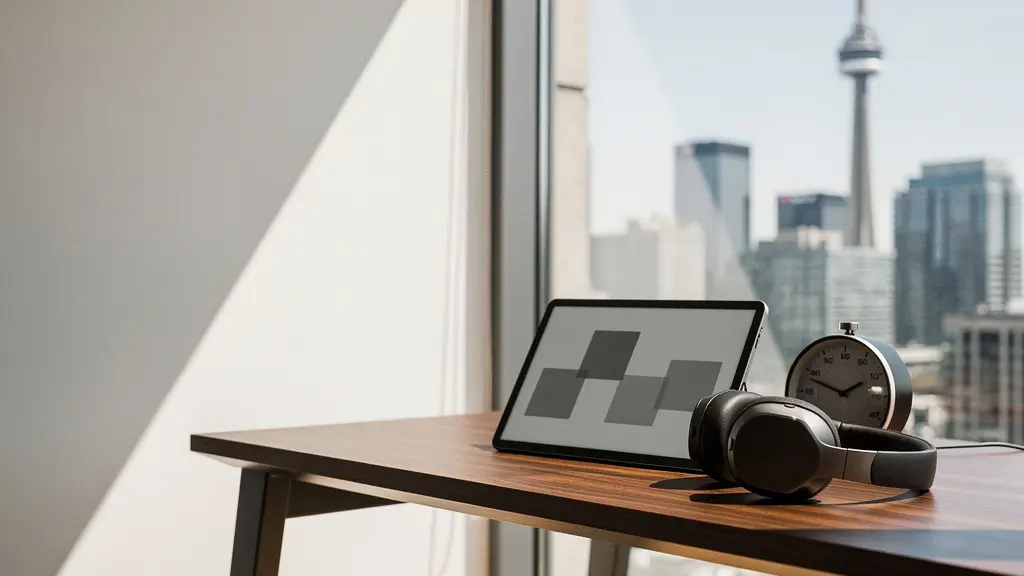
True digital detox for executives isn’t about escaping technology; it’s about strategically using single-purpose ‘unitasker’ gadgets to actively retrain the brain for deep, uninterrupted focus.
- Multi-purpose devices like smartphones and tablets inherently increase your cognitive load; single-purpose tech like E-ink tablets and physical timers drastically reduces it.
- Targeted sensory feedback from tools like mechanical keyboards and smart lighting creates a powerful biological and psychological loop, signaling to your brain that it’s time to enter a state of deep work.
Recommendation: Stop trying to fight distraction with willpower alone. Instead, strategically introduce ‘intentional friction’ into your workflow by replacing a multi-function distraction with a tool designed for one single, focused purpose.
As an executive in Canada, your day is a battle for attention. The barrage of notifications, the endless stream of emails, and the pressure to be constantly available fragment your focus, making strategic, deep thinking feel like a luxury. The common advice—turn off notifications, use focus apps, or simply try harder—often fails because it ignores the underlying neurological issue. The problem isn’t just the distraction; it’s that our brains have been rewired for it by the very multi-purpose devices we rely on.
The constant context-switching between apps on a single device depletes your mental energy and increases cognitive load. According to some research, the average person spends over six hours a day looking at screens, often juggling multiple tasks simultaneously. This trains your brain to seek novelty and resist sustained concentration. But what if the solution wasn’t to flee from technology, but to choose it more wisely? The key isn’t a total detox, but a strategic swap: replacing ‘multitasker’ devices with dedicated ‘unitasker’ gadgets.
This guide takes a neuroscience-backed approach, moving beyond simple tips to explain *how* specific gadgets can help rebuild your brain’s neuro-architecture for focus. We will explore how single-purpose tools create intentional friction against distraction, provide crucial sensory feedback, and ultimately give you back control over your most valuable asset: your attention. This isn’t about adding more tech to your life; it’s about using the *right* tech to reclaim your mind.
This article explores the specific mechanisms behind these focus-enhancing tools. The following sections break down how each category of ‘unitasker’ gadget works, providing a clear roadmap for building a more focused and productive work environment.
Summary: A Neuro-Coach’s Guide to Focus-Enhancing Technology
- reMarkable vs. iPad: Why switching to a monochrome screen boosts retention?
- Physical “Focus Timers”: Do Pomodoro gadgets work better than phone apps?
- Muse Headbands: Can biofeedback really teach you to meditate and focus faster?
- Smart Lighting for Focus: How changing color temperature signals your brain to work?
- Why top strategists are returning to high-end mechanical keyboards for drafting plans?
- How does adaptive noise cancellation differ from passive isolation?
- Quality vs. Quantity: Differentiating between creative screen time and doom-scrolling?
- Multi-Device Keyboards: How to Control Your Laptop, Tablet, and Phone Simultaneously?
reMarkable vs. iPad: Why switching to a monochrome screen boosts retention?
The allure of an iPad is its versatility—it’s a portal to everything. Neurologically, this is its greatest weakness. Every icon is a potential context switch, a rabbit hole of distraction that keeps your prefrontal cortex in a state of high alert. A monochrome E-ink device like a reMarkable is the antithesis: a “unitasker.” Its sole purpose is reading and writing. This limitation isn’t a flaw; it’s a feature that radically reduces cognitive load. The screen doesn’t glow or emit blue light, mimicking the visual comfort of paper and reducing eye strain during long sessions of review or ideation.
More importantly, it removes the “possibility” of distraction. Your brain isn’t spending subconscious energy resisting the urge to check email or a newsfeed, because it can’t. This creates an environment of intentional friction against multitasking, freeing up mental resources for the task at hand. This feeling of being unable to easily switch tasks is a significant driver of well-being, as research from BetterUp shows that 86% of surveyed professionals believe failing to detach from devices negatively impacts them. The tactile feel of the stylus on the textured screen also creates a stronger sensory-motor link to the information you’re processing, which can enhance memory encoding and retention compared to typing on a glass screen.
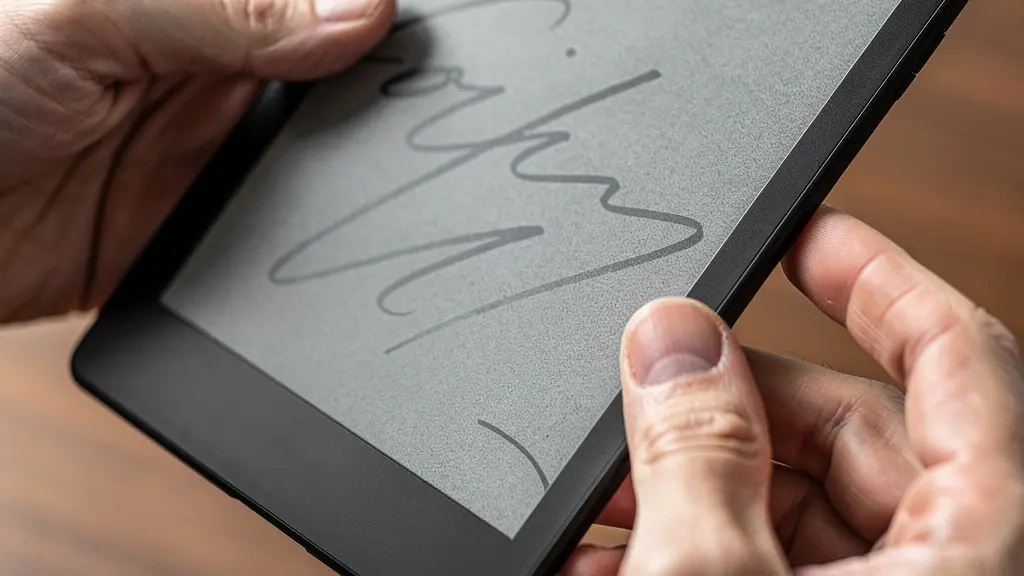
As you can see, the focus is entirely on the act of creation, not consumption. By choosing a device that does less, you empower your brain to do more of what truly matters: deep, focused thinking. It’s a deliberate choice to build a digital environment that serves your strategic goals, rather than one that constantly vies for your attention.
Physical “Focus Timers”: Do Pomodoro gadgets work better than phone apps?
Using a Pomodoro app on your phone to manage focus is a paradox. You are relying on the primary source of your distractions to police your attention. Each time you check the timer, you expose yourself to a lock screen filled with notifications, creating a micro-decision point where your willpower can fail. A physical timer—a simple cube or dial on your desk—is neurologically superior for two key reasons: it is a commitment device and it provides a constant, non-intrusive sensory feedback loop.
Placing a physical object on your desk and setting it for 25 minutes is a tangible declaration of intent. It externalizes your goal, making you more accountable. Unlike a silent app, it’s a persistent, visible reminder of your commitment. This is crucial in environments where interruptions are frequent. As a case study from Toronto’s financial district highlights, office workers are interrupted about every 11 minutes and take roughly 25 minutes to regain focus. In these settings, a visible desk timer acts as a universally understood “do not disturb” sign, far more effective than a digital Slack status that’s easily missed.
The cost of these interruptions is significant; studies show that employees lose up to 2 hours of effective working time weekly due to such disruptions. A physical timer helps reclaim that time by creating a protective bubble. It operates on the periphery of your awareness without demanding active attention, unlike a phone that glows or buzzes. It’s a true ‘unitasker’ that performs one function: tracking a block of time. This simple act of offloading time management to an external, non-distracting tool frees up a surprising amount of cognitive bandwidth, allowing you to fully immerse yourself in the task.
Muse Headbands: Can biofeedback really teach you to meditate and focus faster?
For many executives, “focus” is an abstract concept. You know when you don’t have it, but cultivating it feels like a vague, un-trackable effort. This is where neurofeedback devices like Muse or Mendi come in. They are not passive relaxation gadgets; they are active training tools for your prefrontal cortex, the part of your brain responsible for executive functions like concentration and emotional regulation. Their purpose is to make the intangible state of focus, tangible.
As the Unplug Well Research Team explains, these devices operate by measuring your brain activity. As they put it in their Digital Detox Gadgets Review 2025:
The Mendi is a neurofeedback device that uses a headband to measure brain activity in your prefrontal cortex.
– Unplug Well Research Team, Digital Detox Gadgets Review 2025
This data is then translated into real-time auditory feedback, like the sound of weather. When your mind is calm and focused, you hear peaceful weather. When your mind wanders, the weather becomes stormy. This creates a direct, immediate feedback loop. Your brain learns to associate the mental state of “calm focus” with a positive outcome (pleasant sounds), reinforcing the neural pathways that create that state. It’s like having a personal trainer for your brain’s attention-regulating “muscles.”
This approach is gaining significant traction in the corporate world. As executive burnout becomes a critical issue, companies are investing in proactive mental wellness solutions. In fact, it’s projected that by 2025, 72% of Fortune 500 companies are incorporating mindfulness practices. Biofeedback devices offer a data-driven, efficient way to build this skill, turning meditation from a frustrating guesswork game into a measurable practice with clear progress indicators. It’s about building a robust internal neuro-architecture to resist distraction, rather than just externally blocking it.
Smart Lighting for Focus: How changing color temperature signals your brain to work?
Light is not just a tool for illumination; it is a primary biological signal that governs your body’s internal clock, or circadian rhythm. For millennia, the bright, blue-spectrum light of the morning sun signaled our brains to produce cortisol and be alert, while the warm, red-spectrum light of sunset signaled the production of melatonin for sleep. In the modern office, and especially during Canada’s long, dark winters, we often work under static, single-color lighting that disrupts these natural signals, leading to afternoon slumps and poor sleep.
Smart lighting systems (like Philips Hue or Dyson Lightcycle) allow you to hack this biological process. By programmatically changing the color temperature and intensity of your workspace lighting throughout the day, you can send the right signals to your brain at the right time. A cool, bright light (4000K-5000K) in the morning and for deep work sessions mimics daylight, promoting alertness and concentration. As the day winds down, shifting to a warmer, dimmer light (below 3000K) signals to your brain to begin preparing for rest. This is not a minor tweak; it’s a powerful intervention. This is particularly relevant in Canada, where health research demonstrates that Seasonal Affective Disorder affects 15% of Canadians, with productivity dropping significantly during winter months.
Properly managed light can be a powerful antidote. Instead of fighting against your body’s natural rhythms, you are aligning your environment with them. This creates a workspace that doesn’t just let you see your work but actively helps you do it. It’s a passive but profound way to manage your energy and focus throughout the day, ensuring your brain is in the optimal state for the task at hand, whether it’s high-stakes analysis or creative brainstorming.
Why top strategists are returning to high-end mechanical keyboards for drafting plans?
In an era of silent, low-profile laptop keyboards, the return of clacky, tactile mechanical keyboards among executives and writers may seem like simple nostalgia. However, the reason is rooted in neuroscience. A standard membrane or laptop keyboard offers minimal physical feedback, allowing for fast, often mindless, typing. A mechanical keyboard re-introduces a rich sensory feedback loop through both touch (the tactile bump or click of the switch activating) and sound. This changes the act of writing from a passive flow to a series of deliberate, discrete actions.
Each keystroke is a more intentional event. This slight increase in required effort—a form of positive friction—encourages more thoughtful word choice and sentence construction. It slows down the process just enough to align typing speed with the speed of structured thought, reducing typos and the need for constant, focus-breaking corrections. According to a study on Canadian tech executives, this is not just a feeling; it has measurable results. They report a 30% improvement in writing flow when drafting strategic documents on mechanical keyboards, attributing it to a more satisfying and deliberate process.
For an executive drafting a high-stakes plan, a business case, or a critical email, this deliberateness is a strategic advantage. It transforms the keyboard from a simple input device into a tool for structured thinking. The variety of switches (e.g., Cherry MX, Topre) allows for a customized feel, whether an executive prefers a quiet tactile bump for an open office or a loud click for a private study. It’s a prime example of a ‘unitasker’ enhancing a primary work function.
For Canadian executives looking to make this switch, several premium options are readily available with bilingual layouts and local support.
| Keyboard Model | Canadian Retailer | Price (CAD) | Bilingual Layout | Key Features for Executives |
|---|---|---|---|---|
| Das Keyboard 4 Professional | Memory Express | $219 | Yes – CSA | Cherry MX switches, dedicated media controls |
| Keychron Q1 | Deskhero.ca | $289 | Available | Hot-swappable switches, Mac/PC compatible |
| HHKB Professional Hybrid | ApexKeyboards.ca | $459 | Custom order | Topre switches, Bluetooth, minimal footprint |
How does adaptive noise cancellation differ from passive isolation?
The open office, once hailed for collaboration, is now recognized as a major source of cognitive disruption. The constant chatter and movement create a sea of unpredictable noise that fragments attention. Noise-cancelling headphones are a common solution, but not all are created equal. The key is understanding the difference between passive isolation and Adaptive Noise Cancellation (ANC). Passive isolation is a physical barrier: the headphone’s materials and sealed design (like over-ear cups) block sound, particularly high-frequency noises. It’s a brute-force approach, effective against consistent drones like an airplane engine or HVAC system.
Adaptive Noise Cancellation, however, is an intelligent, active process. Microphones on the outside of the headphones listen to the ambient environment. An internal chip then generates an inverse sound wave (an “anti-noise”) that cancels out the incoming sound before it reaches your ear. Advanced ANC systems can do this in real-time, adapting to changing sounds like a nearby conversation starting or a door closing. This is far more effective for the variable, mid-frequency sounds typical of an office. It works to create a bubble of consistent silence, which is critical for mental health, as statistics reveal that stress-related conditions are the primary driver of work-related ill health cases, with open office noise being a major contributor.
For a Canadian executive, the right choice depends on the primary environment of distraction. A commute on the GO Train or VIA Rail might be best served by strong passive isolation, while navigating a busy office in downtown Toronto or Vancouver requires sophisticated ANC. The best models for executives also feature superior microphone arrays that use the same technology to isolate your voice during calls, ensuring you are heard clearly without broadcasting the surrounding chaos. It’s about surgically removing the specific type of auditory noise that drains your cognitive resources.
Quality vs. Quantity: Differentiating between creative screen time and doom-scrolling?
The ultimate goal of a digital detox isn’t to eliminate screens, but to reclaim intent. The line between productive, creative screen time and mindless, soul-draining “doom-scrolling” is about one thing: active creation versus passive consumption. Drafting a strategy document, coding, designing a presentation, or engaging in a focused video call are active uses of technology. Your brain is engaged, forming new connections, and producing value. Doom-scrolling through social media feeds or compulsively checking news headlines is passive. It provides a stream of low-grade, dopamine-fueled novelty without requiring any real cognitive engagement, a behavior that erodes our ability to concentrate.
This erosion of focus is a documented phenomenon. As research from Healthier Tech highlights, our collective attention is diminishing rapidly.
A study from the year 2000 found that the average attention span of Americans was around 12 seconds. By 2015, that number had dropped to 8 seconds.
– Healthier Tech Research, Digital Detox Impact Study
The pull of passive consumption is incredibly strong. In a case study, Jacque Smith, an Executive Producer at CNN Digital, found that even after deleting social media apps for a 30-day detox, her conditioned behavior persisted. She would unlock her phone hourly and, to avoid boredom, would resort to re-reading old work emails or browsing her camera roll. This illustrates that the problem is a deeply ingrained neurological habit, not just the presence of an app.
Differentiating requires building metacognitive awareness—the ability to step back and ask, “What is my intention right now?” Tools that introduce intentional friction, like setting time limits on apps or using monochrome screen modes, can help break the cycle. They create a pause, giving you a moment to question your impulse before you fall into a passive consumption spiral. The key is to design your digital environment to make active, high-quality screen time easy and mindless, low-quality screen time difficult.
Action Plan: Auditing Your Digital Attention
- Points of Contact Audit: For one day, list every single device and application that sends you a notification (phone, watch, laptop, email, Slack, etc.). This is your “distraction inventory.”
- Habit Collection: Use a simple tally sheet to mark every time you unlock your phone or switch browser tabs without a clear, work-related purpose. Be honest; the goal is data, not judgment.
- Intention Confrontation: For each habit identified in step 2, ask: “Was this active creation or passive consumption?” Categorize each instance to see your ratio.
- Friction Analysis: Identify the #1 source of passive consumption (e.g., Instagram, news site). What is the easiest, smallest step you can take to add friction? (e.g., move the app to a folder on the last screen, log out after each use).
- ‘Unitasker’ Integration Plan: Identify one recurring task currently done on a multitasker (e.g., taking notes in a meeting on a laptop) and plan to trial a ‘unitasker’ alternative for one week (e.g., pen and paper, or an E-ink tablet).
Key Takeaways
- Choose single-purpose ‘unitasker’ gadgets over multi-function devices to drastically reduce cognitive load and eliminate decision fatigue.
- Use physical tools like dedicated timers and mechanical keyboards to create tangible, sensory feedback loops that reinforce a state of focus.
- Actively manage your environment by manipulating light and sound to send clear biological signals to your brain, aligning your workspace with your cognitive goals.
Multi-Device Keyboards: How to Control Your Laptop, Tablet, and Phone Simultaneously?
At first glance, a multi-device keyboard seems to contradict the ‘unitasker’ philosophy. It’s a tool designed to facilitate interaction with multiple devices—the very definition of multitasking. However, from a neuroscience perspective, its true value lies in reducing the cognitive load of context switching. An executive’s workflow is rarely confined to a single screen. You may need to reference a document on a tablet while typing an email on your laptop, or quickly respond to a message on your phone. The friction comes from the physical and mental shift of moving your hands from one device to another, each with a different input method.
A multi-device keyboard (like the Logitech MX Keys) streamlines this process. With the press of a button, you can switch the keyboard’s input from your laptop to your tablet to your phone. Your hands remain in the same position, using the same familiar tactile interface. This eliminates the micro-interruptions and cognitive dissonance of moving from a full-size keyboard to a glass touchscreen and back again. It consolidates the *control* of your digital ecosystem into a single, consistent interface.
The goal here is not to encourage more rapid-fire multitasking, but to make the necessary shifts between focused tasks as seamless as possible. It acknowledges the reality of a modern executive’s device-filled workflow and provides a solution to minimize the inherent friction. By unifying the physical interaction layer, you conserve precious mental energy that can be better spent on the strategic tasks themselves, rather than on the clumsy mechanics of managing your technology.
To truly reclaim your strategic thinking, begin by auditing your current digital environment using the steps outlined above. Your goal is to intentionally replace one source of multi-purpose distraction with a dedicated ‘unitasker’ tool and measure the impact on your ability to perform deep work.