
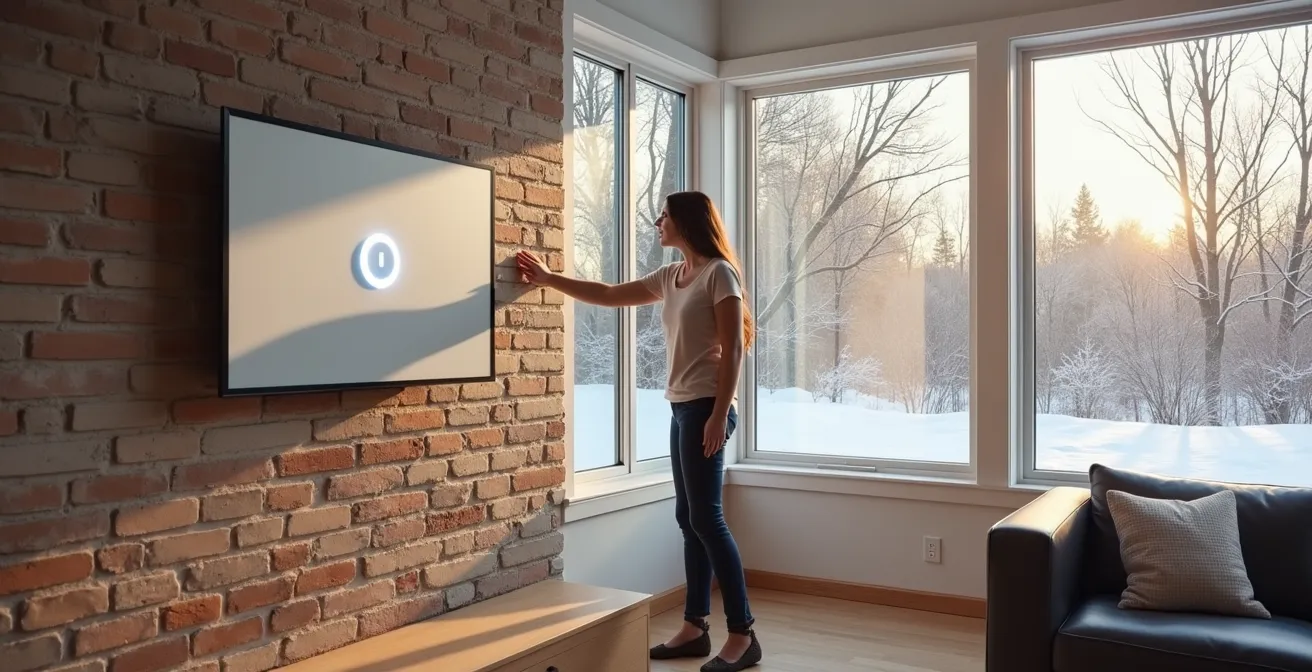
The Canada Greener Homes Grant does not offer a rebate for simply installing a smart thermostat on its own; the real financial benefits come from provincial utility programs and long-term energy savings.
- A smart thermostat must be part of a larger, eligible retrofit (like a new heat pump) to be included in the Greener Homes Grant.
- The true “Total Cost of Ownership” must account for hidden expenses, such as professional installation if your older Canadian home lacks a C-wire.
Recommendation: Shift your focus from the federal grant to your provincial utility’s specific rebates (like Ontario’s Peak Perks) and choose a device that solves your home’s unique heating challenges, such as temperature imbalances in multi-story houses.
As a Canadian homeowner, the shock of opening a mid-winter heating bill is a familiar, unwelcome ritual. In the search for savings and a smaller carbon footprint, the Canada Greener Homes Grant appears as a promising solution, with smart thermostats often touted as a simple first step. The common assumption is that buying a sleek new thermostat will quickly lead to a government rebate and lower hydro bills. However, navigating the world of energy grants requires looking beyond the marketing buzz.
While the desire for a simple “buy this, get that” rebate is understandable, the reality of Canadian energy incentives is more nuanced. The federal grant is designed for significant retrofits, and a standalone thermostat often doesn’t make the cut. The conversation quickly becomes more complex, involving provincial utility programs, your home’s existing wiring, and the specific challenges of maintaining comfort through a Canadian winter. Many homeowners focus on the potential rebate and overlook the more significant financial factors: installation costs, the device’s actual impact on their specific home, and the long-term payback period.
But what if the federal grant is a secondary concern? The true value of a smart thermostat isn’t found in a single rebate cheque, but in its ability to solve persistent, costly problems—like a perpetually cold bedroom or an unmonitored cottage. To make a sound financial decision, you must analyze the total cost of ownership, from the hidden expense of running a new wire to the tangible savings generated by participating in a provincial demand-response program.
This guide, from the perspective of a grant consultant, will deconstruct the complete financial and practical equation. We will examine the real-world costs and benefits, compare how different devices address uniquely Canadian home comfort issues, and ultimately calculate how many winters it takes to truly recoup your investment, with or without a federal grant.
To help you navigate this decision, this article breaks down the key questions every Canadian homeowner should ask. The following sections provide a clear path from installation challenges to the final calculation of your return on investment.
Summary: Your Guide to Smart Thermostat Economics in Canada
- The “C-Wire” Problem: How to install a smart thermostat without a common wire?
- Cold Bedrooms: How remote sensors balance temperature in multi-story homes?
- Nest vs. Ecobee: Do learning algorithms actually save more money than manual schedules?
- The Cottage Setup: Monitoring pipe-freezing temperatures from 200km away?
- Payback Period: How many winters does it take to recoup the $300 thermostat cost?
- Which devices consume power even when turned off (and how to stop them)?
- Google Home vs. Amazon Alexa: Which ecosystem appeals most to Canadian homebuyers?
- Why Rising Hydro Rates in Ontario Make Smart Plugs Essential for Remote Workers?
The “C-Wire” Problem: How to install a smart thermostat without a common wire?
The first hurdle many Canadian homeowners face when upgrading to a smart thermostat is discovering their existing wiring is incompatible. Most modern smart thermostats require a “common wire” or “C-wire” to receive a continuous flow of power. This wire is often absent in homes built before the 1980s, a common scenario in many Ontario suburbs and Montreal duplexes. Without it, your new device won’t have a stable power source to run its Wi-Fi connection and backlit display.
While some thermostats offer workarounds like power adapters that plug into a nearby outlet, the most reliable solution is to have an electrician run a new C-wire from your furnace to the thermostat. This is where the “total cost of ownership” begins to increase. The cost of this professional installation can vary significantly based on your location and the complexity of the job. For a simple installation, costs are minimal, but if the wire needs to be fished through finished walls, the price can climb.
To budget accurately, it’s wise to get a quote. Professional electrician rates in Canada can vary, but a 2024 guide from HomeStars suggests that you can expect to pay anywhere from $65 to $130 per hour. This hidden cost can easily add 30-50% to the initial price of the thermostat, fundamentally changing your payback calculations from the very beginning.
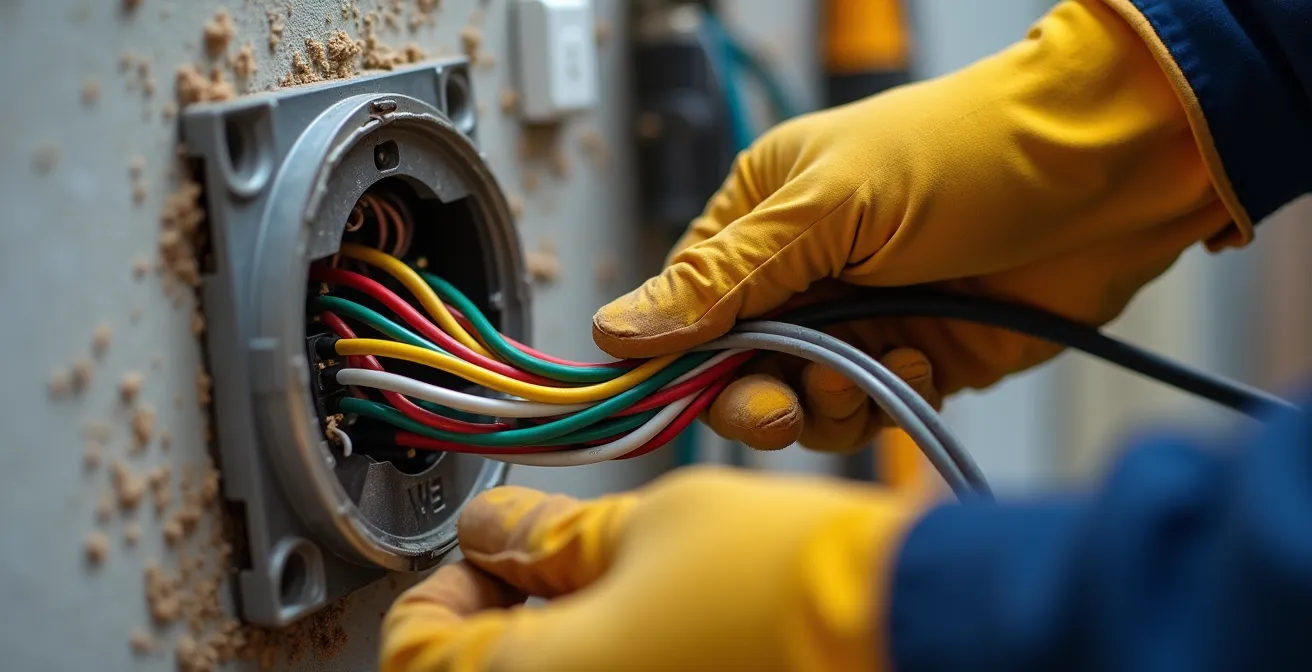
As this image illustrates, thermostat wiring can be a complex bundle of wires within the wall. A professional can quickly identify the needs of your system and ensure a safe, reliable installation, which is crucial for the long-term performance of your HVAC system and your new smart device. Factoring in this potential professional expense is the first step to understanding the true cost of your upgrade.
Cold Bedrooms: How remote sensors balance temperature in multi-story homes?
A classic Canadian housing dilemma is the temperature imbalance in multi-story homes. The main floor, where the thermostat is typically located, might be perfectly comfortable, while the upstairs bedrooms are frigid in winter and sweltering in summer. This happens because a single thermostat can only measure the temperature in one location, leaving it blind to conditions elsewhere. This is a problem that remote sensors are designed to solve.
These small, wireless devices can be placed in different rooms, providing the main thermostat with temperature and occupancy data from across the house. Instead of relying on a single reading, the system can average the temperatures or prioritize the room you’re currently in. For a family with a baby, this means the thermostat can be programmed to ensure the nursery stays at a precise 21°C all night, even if it means the main floor cools down slightly. This room-specific control is a major leap in both comfort and efficiency, as you are no longer overheating one area to warm another.
The two main players, Ecobee and Nest, approach this problem differently, which is a critical factor for Canadian homeowners dealing with significant temperature variance.
| Feature | Ecobee SmartSensor | Nest Temperature Sensor |
|---|---|---|
| Temperature Detection | Yes | Yes |
| Occupancy Detection | Yes | No |
| Included with Purchase | 1 sensor with Premium model | Sold separately ($40) |
| Temperature Averaging | Can average multiple sensors | Switches between sensors only |
| Best for Canadian Multi-story | Better for balancing temperatures | Limited flexibility |
The ability of Ecobee’s sensors to detect occupancy and average temperatures across multiple rooms makes it a more robust solution for actively balancing a multi-story Canadian home. Nest’s system, which only switches focus from one sensor to another, offers less granular control. For homeowners whose primary goal is to solve the “cold bedroom” problem, this is a vital distinction.
Action Plan: Optimizing Sensor Placement
- Place sensors in rooms with the most temperature variance (typically upper floor bedrooms in Canadian split-levels).
- Position sensors away from windows, vents, and direct heat sources for accurate readings.
- Use occupancy-based averaging to prioritize comfort in the rooms you actually use.
- Configure specific comfort settings for your ‘Home’, ‘Away’, and ‘Sleep’ modes to match your family’s schedule.
- Monitor sensor data through the thermostat app to identify and confirm you’ve solved the problem areas.
Nest vs. Ecobee: Do learning algorithms actually save more money than manual schedules?
The philosophical difference between Nest and Ecobee boils down to one question: who is smarter, you or the machine? Nest famously relies on a learning algorithm. After an initial period of manual adjustments, it learns your patterns—when you’re home, when you’re away, what temperatures you prefer—and builds an automatic schedule. Ecobee, on the other hand, empowers the user to create their own detailed schedule, using data from remote sensors to optimize that schedule for different scenarios.
For many, Nest’s “set it and forget it” approach is appealing. However, its effectiveness depends on a predictable lifestyle. If your schedule is erratic, the learning algorithm can get confused, leading to inefficiencies. Furthermore, some HVAC professionals express concern about how these algorithms interact with complex systems. As one technician noted in a review:
My HVAC installer told me he didn’t like using Nest with 2 or more stage heating or cooling units. While my 3rd generation Nest still seemed to work it only took me a day to realize the indoor temperature was reading too high.
– John Hagensieker, John’s Tech Blog comparison of Ecobee vs Nest
The real game-changer for savings, regardless of the platform, is integrating with provincial utility programs. These “demand response” programs reward you for allowing the utility to slightly adjust your thermostat during peak energy usage events. For example, a study of these programs shows Ontario’s Peak Perks program offers a $75 enrollment incentive plus $20 annually for participating. Similarly, BC Hydro’s Peak Rewards program provides a $50 seasonal reward and works with both Nest and Ecobee. These programs deliver concrete, predictable savings that often outweigh the marginal difference between a learning algorithm and a well-planned manual schedule.
The Cottage Setup: Monitoring pipe-freezing temperatures from 200km away?
For the thousands of Canadians who own a cottage or a secondary vacation property, the winter months bring a specific kind of anxiety: the fear of frozen pipes. A burst pipe can cause catastrophic damage, and driving hours in treacherous conditions to check on the property is both impractical and stressful. This is where a smart thermostat transcends being a convenience and becomes an essential risk-management tool, acting as your eyes and ears when you’re hundreds of kilometers away.
With a Wi-Fi-enabled thermostat, you can monitor the cottage’s internal temperature from your primary residence via a smartphone app. More importantly, you can set up low-temperature alerts. If the temperature inside the cottage drops below a pre-set threshold (for instance, 10°C), you’ll receive an immediate notification on your phone. This early warning gives you time to react—perhaps by calling a neighbour or a local property manager to investigate—before a disaster occurs.
This remote monitoring capability provides invaluable peace of mind that is difficult to quantify in a simple payback calculation. It transforms the thermostat from an energy-saving device into a property-protection system. Some Canadian insurance providers have even started to recognize this, offering premium discounts for homes and cottages equipped with remote monitoring systems that include low-temperature and flood alerts. This potential insurance saving is another important, often overlooked, financial benefit to factor into your decision.
Payback Period: How many winters does it take to recoup the $300 thermostat cost?
This is the ultimate question for any homeowner considering a smart thermostat. Let’s break down the real-world math for a typical Canadian scenario, moving beyond the simple sticker price. The true payback period depends on three key variables: the net cost of the device, your annual heating bill, and the percentage of energy savings you can realistically achieve.
First, the net cost. A premium smart thermostat from Nest or Ecobee typically retails for around $300-$350. While the federal Greener Homes Grant does not cover a standalone thermostat, you can often find rebates through provincial utilities. A recent analysis shows that you can get up to $150 total in combined rebates when you stack the $50 from the federal program (if part of a larger retrofit) with various provincial offers. For our calculation, let’s assume a conservative $75 rebate. This brings your net hardware cost to approximately $225. Remember to add any C-wire installation costs here, which could push the total back up over $300.
Next, energy savings. Most studies and manufacturers claim savings of 10-23% on heating and cooling costs. Let’s be conservative and use 12%. If your annual heating bill is $1,500, a 12% saving equals $180 per year. With a net cost of $225, your payback period would be: $225 / $180 per year = 1.25 years. In this scenario, the thermostat pays for itself in just over one Canadian winter.

This calculation demonstrates that even without a major federal grant, the investment can be a sound one. The key is to maximize your savings by creating efficient schedules, using remote sensors to eliminate waste, and enrolling in any available provincial demand response programs. The combination of these strategies is what truly accelerates your return on investment, turning a comfort-enhancing gadget into a financially savvy upgrade.
Which devices consume power even when turned off (and how to stop them)?
Beyond the HVAC system, our homes are filled with electronic devices that draw power even when they’re not in use. This phenomenon, known as “phantom power” or “standby power,” can account for up to 10% of a household’s electricity consumption. These energy vampires are devices with remote controls, external power supplies, or continuous displays (like a microwave clock). Identifying and controlling them is a key strategy for reducing your overall hydro bill.
In Canada, certain regional culprits are particularly notorious for drawing phantom power. A smart plug or a programmable power bar is the most effective weapon against this waste. By scheduling these devices to completely power off during periods of inactivity (like overnight or during work hours), you can eliminate this unnecessary drain. According to Natural Resources Canada (NRCan), some of the most significant phantom power offenders in Canadian homes include:
- Car block heaters (Prairies): These can draw significant power. Instead of leaving them on all night, install a timer switch to have them run for only the 2-3 hours needed before your morning departure.
- Heated mudroom floors: A luxury in winter, but they don’t need to be on 24/7. Use a programmable thermostat or smart plug to schedule operation for morning and evening rush hours only.
- Basement dehumidifiers (Maritimes/BC): Essential during damp seasons, but often left running year-round. Connect them to a smart plug for easy seasonal scheduling and remote operation.
- Cable boxes and PVRs: These are among the worst offenders, typically consuming 20-40 watts in standby mode. Grouping them on a smart power bar allows you to cut power to all of them with a single command.
When purchasing new appliances, always check the EnerGuide label. It often lists the standby power consumption, allowing you to choose more efficient models from the start. Taming these energy vampires is a simple but highly effective way to reduce your electricity costs.
Google Home vs. Amazon Alexa: Which ecosystem appeals most to Canadian homebuyers?
Choosing a smart thermostat is often the first step in building a larger smart home ecosystem. The two dominant players, Google (which owns Nest) and Amazon (whose Alexa platform works seamlessly with Ecobee and others), offer different strengths and weaknesses within the Canadian market. For a homebuyer, this choice can influence future device purchases and the overall “intelligence” of their home. The decision often comes down to which ecosystem offers better integration with the Canadian services you already use.
While both platforms offer broad support for music, weather, and news, their integration with specifically Canadian services can vary. This is particularly relevant for tasks like voice banking, accessing local news, or even language support. For French-speaking Canadians, especially in Quebec, the quality and nuance of a platform’s French-language support can be a deciding factor. A platform that understands regional accents and idioms provides a significantly better user experience.
Here’s a comparison of how the two ecosystems integrate with some key Canadian service categories:
| Service Category | Google Home | Amazon Alexa |
|---|---|---|
| Canadian Banking | TD, RBC, Scotiabank | TD, BMO, CIBC |
| Canadian Media | CBC News, Radio-Canada | CBC, CTV News |
| Canadian Retail | Limited PC Optimum integration | Amazon.ca shopping, some Canadian Tire |
| Quebec French Support | Full support with accent recognition | Available but less refined |
As the table shows, there are subtle but important differences. A homeowner in Quebec might lean towards the Google ecosystem for its superior French-language support, while a loyal BMO client and Amazon Prime shopper might find the Alexa ecosystem more convenient. This isn’t just about turning on the lights with your voice; it’s about choosing a digital infrastructure for your home that aligns with your life and location. This long-term consideration is a crucial, though often overlooked, part of the smart thermostat decision.
Key Takeaways
- The Canada Greener Homes Grant does not directly cover a standalone smart thermostat; it must be part of a larger eligible project.
- True savings come from a combination of provincial utility rebates (e.g., Ontario’s Peak Perks), optimized scheduling, and solving specific home inefficiencies.
- The “Total Cost of Ownership” must include potential electrician fees for C-wire installation, especially in older Canadian homes.
Why Rising Hydro Rates in Ontario Make Smart Plugs Essential for Remote Workers?
For the growing number of remote workers in Ontario, the home has become the office, and the electricity bill now reflects a full day of consumption. With the introduction of Ontario’s “Ultra-Low Overnight” (ULO) electricity pricing plan, a new strategic opportunity has emerged. This plan offers a very low rate for electricity used during the night (11 p.m. to 7 a.m.), with significantly higher rates during the “on-peak” daytime hours. For a remote worker, this means the electricity used to power their work-from-home setup is charged at the most expensive rates.
This is where smart plugs and smart power bars become not just convenient, but essential tools for cost management. By strategically shifting energy-intensive tasks to the ULO period, a remote worker can slash their electricity bill without compromising productivity. A smart plug allows you to automate this energy shifting through simple scheduling in an app.
A comprehensive savings strategy for an Ontario-based remote worker could include the following actions, all automated with smart plugs:
- Schedule device charging: Program smart plugs to charge all laptops, phones, tablets, and portable power banks exclusively during the 11 p.m. to 7 a.m. window.
- Automate non-essential equipment: Set schedules for printers, secondary monitors, and desk lamps to power down completely during the expensive mid-day peak period.
- Eliminate phantom power: Use a smart power bar for your entire workstation to cut all standby power draw outside of working hours and during lunch breaks.
- Leverage provincial programs: Enroll your smart plugs in the Peak Perks program to earn additional annual incentives for helping reduce grid strain.
By embracing this strategic approach to energy consumption, a remote worker can effectively “time-shift” their electricity usage, transforming a major new expense into a manageable and optimized cost. Smart plugs are the key that unlocks these savings, making them an indispensable part of the modern home office in an era of dynamic hydro pricing.
To determine the best strategy for your home, the next logical step is to conduct an audit of your specific energy needs, investigate your local utility’s rebate programs, and choose the technology that solves your most pressing comfort and cost challenges.
Frequently Asked Questions about Smart Thermostats in Canada
Can I monitor my cottage temperature remotely without WiFi?
Some thermostats offer cellular backup options or can store settings offline, though real-time monitoring requires internet connectivity.
What temperature should I maintain to prevent pipe freezing?
Maintain at least 10°C (50°F) in Canadian cottages during winter months to prevent frozen pipes.
Do Canadian insurers offer discounts for smart thermostats in cottages?
Some insurers provide premium reductions for remote monitoring systems that include low-temperature alerts.