
In summary:
- Leaving your Canadian home empty feels risky, and basic light timers are no longer enough to fool savvy burglars.
- The key is to use smart plugs to create a dynamic “simulated presence” that mimics your real-life, unpredictable daily routines.
- Focus on layering multiple devices (lights, radio), ensuring the system works even if your Wi-Fi goes down, and choosing the right plugs for safety.
- This approach provides significant peace of mind and a strong return on investment compared to expensive alarm systems for low-crime areas.
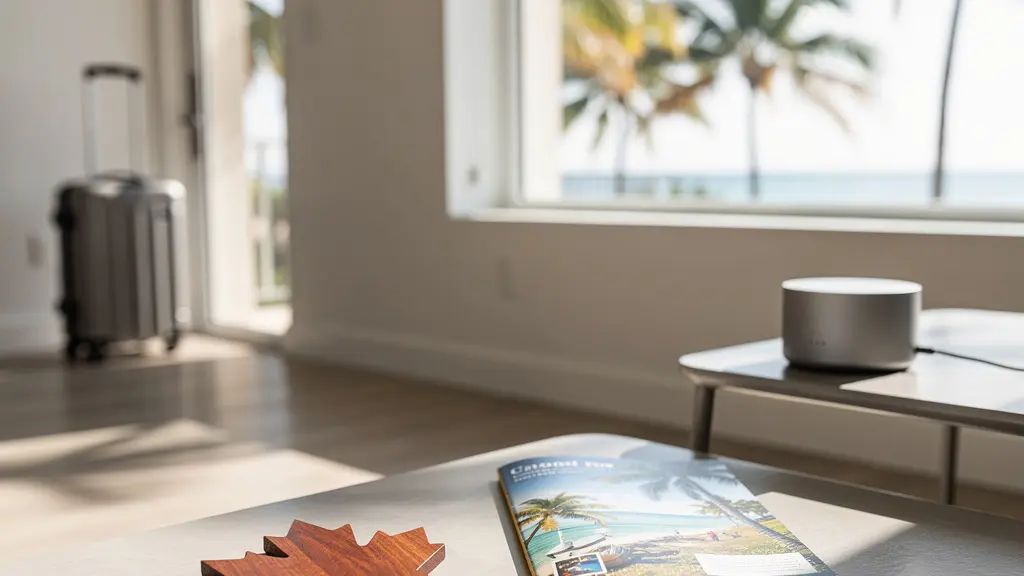
The feeling is familiar for many Canadian snowbirds. You’ve packed the car, said your goodbyes, and are looking forward to swapping a snowy driveway for a sunny Florida beach. Yet, a small, nagging worry remains: your empty home, thousands of kilometres away. For decades, the standard advice was simple: put a lamp on a mechanical timer. It was a decent, low-tech solution for its time. But in today’s world, that predictable, rigid on-at-6-pm, off-at-10-pm schedule can be a clear signal to an observant thief that no one is actually home.
The good news is that home security has evolved, and you don’t need a complex, expensive system to achieve true peace of mind. The secret lies in moving beyond simple timers and creating a credible, dynamic, and resilient ecosystem of simulated presence. This isn’t about just turning a light on and off; it’s about using affordable smart plugs to intelligently mimic the random, layered patterns of a lived-in home. It’s about creating an illusion so convincing that it removes your home from a potential target list altogether.
But if this technology is new to you, it can feel daunting. What happens during a winter storm if the Wi-Fi cuts out? Can you accidentally create a fire hazard? And how do you set it all up without getting overwhelmed by notifications? This guide is designed to answer those specific questions. As a home security consultant for seniors, my goal is to walk you through the practical steps to build a smart, safe, and worry-free security setup for your home in Canada, so you can truly relax and enjoy the sun.
This comprehensive guide will walk you through the essential strategies for setting up a smart and resilient security system. From creating realistic schedules to preparing for Canadian-specific risks like power outages, you’ll find everything you need to protect your home while you’re away.
Summary: A Complete Guide to Smart Plug Security for Snowbirds
- Why Rigid Timer Schedules Tell Thieves You Aren’t Home (and What to Do Instead)?
- The Space Heater Risk: Can You Safely Control Heating Devices with a Standard Smart Plug?
- Trigger Actions: How to Turn On a Radio Automatically When Someone Approaches Your Porch?
- What Happens to Your Security Routine if the Home Wi-Fi Goes Down During a Storm?
- Smart Plugs vs. Alarm Systems: Which Offers Better ROI for a Low-Crime Neighborhood?
- Person vs. Squirrel: Reducing Notifications So You Actually Check Them?
- The Cottage Setup: Monitoring Pipe-Freezing Temperatures from 200km Away?
- Can Smart Lighting Actually Cure Your “February Blues” in Canada?
Why Rigid Timer Schedules Tell Thieves You Aren’t Home (and What to Do Instead)?
The classic mechanical timer has a fatal flaw: its perfect predictability. A light that snaps on at exactly 6:00 PM and off at 10:30 PM every single night for a week doesn’t scream “someone’s home.” It screams “timer.” Experienced burglars often watch a property for a day or two to spot these tell-tale patterns. A home that looks occupied doesn’t just have lights on; it has a natural, slightly chaotic rhythm. People move from room to room, turn on a TV, forget to turn off a kitchen light, and have different schedules on a Tuesday than on a Saturday.
The goal is to move from a rigid schedule to a dynamic occupancy pattern. This is where smart plugs excel. Instead of a simple on/off time, they allow you to create layers of activity that feel human. For example, you can have the living room lamp turn on around sunset, followed by a kitchen light 15 minutes later, as if someone is moving through the house. Later, a bedroom lamp can come on while the living room light turns off. This creates a much more believable narrative of activity inside the home.
Most smart plug apps include a feature often called “Away Mode” or “Vacation Mode.” This is your most powerful tool. When enabled, it automatically adds random variations to your programmed schedules. A light set for 7:00 PM might turn on at 6:48 PM one day and 7:11 PM the next. This subtle randomization is the key to breaking the predictable pattern that gives away an empty house. By combining different schedules for different rooms and enabling this feature, you create a convincing illusion of presence that is nearly impossible to distinguish from the real thing.
The Space Heater Risk: Can You Safely Control Heating Devices with a Standard Smart Plug?
When you’re away during a Canadian winter, the thought of using a smart plug to remotely control a small space heater in a vulnerable area like a basement or a poorly insulated room is tempting. However, this is a scenario where you must exercise extreme caution. The short answer is: do not use a standard, low-cost smart plug for any high-draw heating appliance like a portable space heater. These devices draw a significant amount of electrical current, often close to the maximum limit of a standard 15-amp circuit.
A standard smart plug is designed for low-power items like lamps, fans, or a coffee maker. Connecting a space heater can cause the plug to overheat, melt, and create a serious fire hazard. The internal components are simply not robust enough to handle the sustained high load. Furthermore, many space heaters have modern safety features, like an automatic tip-over shutoff, that might be reset or bypassed by an external smart plug, further increasing the risk.
If you absolutely need to control a high-power device, you must use a plug specifically rated for the task. These are often marketed as “heavy-duty” or “appliance” smart plugs and are built with more robust components, better heat dissipation, and higher amperage ratings. Even then, you should only use them with modern, certified heating appliances that have multiple built-in safety features. The best approach is to avoid remotely controlling heaters and instead focus on monitoring temperature and properly winterizing your home.
This table helps clarify which type of plug is appropriate for different household devices, ensuring you operate them safely.
| Plug Type | Power Rating | Suitable Devices | Safety Features |
|---|---|---|---|
| Standard Indoor | 15A/1800W | Lamps, fans, coffee makers | Basic overcurrent protection |
| Heavy-Duty | 20A/2400W | Window AC units, large appliances | Overheat protection, surge protection |
| Outdoor | 15A/IP44 rated | Holiday lights, fountains | Weather resistance, dual outlets |
Trigger Actions: How to Turn On a Radio Automatically When Someone Approaches Your Porch?
The most advanced form of simulated presence goes beyond pre-set schedules. It involves creating trigger-based automations, where one event automatically causes another to happen. This creates a reactive environment that strongly suggests someone is home and responding to their surroundings. The classic example is connecting a motion sensor to a smart plug. When someone walks up your driveway or onto your porch, it doesn’t just trigger a security light; it can also trigger a smart plug inside the house to turn on a radio or a television.
This “domino effect” is incredibly effective. To an outsider, the sequence of events—motion detected, then sound from within—is a powerful deterrent. It implies someone is home, alert, and aware of their presence. Setting this up is easier than it sounds and is usually done within your smart home app (like Amazon Alexa, Google Home) or by using a service like IFTTT (If This Then That). The logic is simple: IF the front porch motion sensor detects movement, THEN turn on the “Living Room Radio” smart plug.
You can create even more sophisticated layers. For instance:
- The “Someone’s Coming to the Door” sequence: A motion sensor triggers the porch light. Five seconds later, a smart plug in the living room turns on a lamp. Ten seconds after that, a hallway light activates, simulating someone walking to the door.
- The “Delivery Arrival” alert: A smart doorbell camera can be linked to a smart plug. When it detects a package has been left, it could flash an indoor light a few times to signal to a helpful neighbour that a delivery has been made and should be brought inside.
These reactive sequences elevate your setup from a passive system to an active deterrent, creating a truly convincing illusion of occupancy.
What Happens to Your Security Routine if the Home Wi-Fi Goes Down During a Storm?
This is a critical concern for any Canadian snowbird. A fierce winter storm can easily knock out power or internet service, and the last thing you want is for your carefully planned security routine to fail when you’re 2,000 kilometres away. This is where the concept of automation resilience comes in, and it highlights a crucial difference between various types of smart plugs. Not all plugs are created equal when the internet goes down.
Many budget-friendly, Wi-Fi-only smart plugs are “cloud-dependent.” This means their schedules and settings are stored on a server. If your home’s internet connection is lost, the plug can no longer access its instructions and will stop working. It becomes a “dumb” plug until the internet is restored. For a snowbird, this is a major vulnerability. A single Wi-Fi outage could leave your home dark and obviously empty for days.
The solution is to invest in smart plugs that support local control. These devices store their schedules directly on the plug itself or on a local hub (like a Philips Hue Bridge or a Z-Wave/Zigbee hub). If the internet goes down, the plug continues to run its pre-programmed on/off schedule without interruption because the instructions are stored locally. When power is restored after an outage, it will automatically resume its schedule without needing to reconnect to the cloud. This is the single most important feature for ensuring your simulated presence ecosystem is reliable while you’re away.
This image shows a simple setup to keep your internet connection alive during short power flickers, a key part of your home’s resilience.
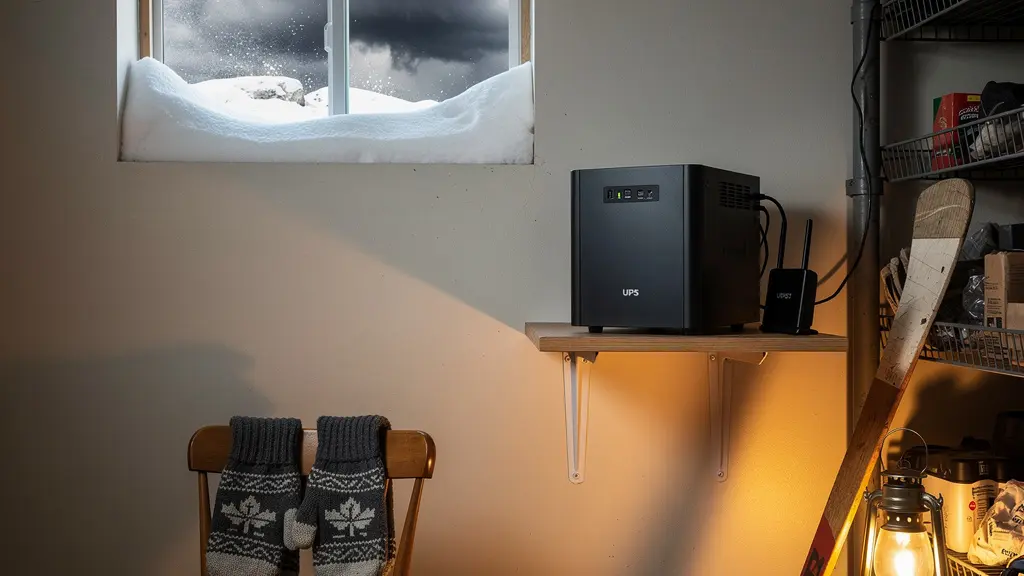
To ensure your internet and local hub remain powered during brief outages, consider plugging your modem and router into a small Uninterruptible Power Supply (UPS) battery backup. This can provide enough power to ride out short flickers and keep your system online. The following table illustrates the key differences in how plugs behave offline.
| Feature | Cloud-Dependent Plugs | Local Control Plugs |
|---|---|---|
| Schedule Storage | Requires constant internet | Stores schedules locally on device |
| Power Outage Recovery | Must reconnect to cloud | Resumes schedule automatically |
| Hub Requirement | WiFi only | Hub stores backup schedules |
| Example Brands | Most budget WiFi plugs | Philips Hue (via bridge), Z-Wave plugs |
Smart Plugs vs. Alarm Systems: Which Offers Better ROI for a Low-Crime Neighborhood?
For many retirees, the decision to invest in home security is a balance between peace of mind and budget. While professionally monitored alarm systems offer comprehensive protection, their cost can be substantial, especially for a property that is only empty for a few months a year. In Canada, where there are approximately 155,000 break-ins yearly, some form of protection is wise, but the level of investment should match the risk. This is where a DIY smart plug system offers an outstanding Return on Investment (ROI), particularly in a relatively safe, low-crime neighbourhood.
The primary goal in such an area is not necessarily to catch a burglar, but to deter them from choosing your house in the first place. Burglars are opportunistic; they look for the easiest, lowest-risk target. A dark, quiet house is an invitation. A house with lights and sounds that mimic human activity presents an unknown risk, and they are likely to simply move on to an easier target. A well-implemented smart plug system, costing perhaps a few hundred dollars upfront with no monthly fees, achieves this primary goal of deterrence effectively.
Furthermore, many Canadian home insurance policies require you to have someone check on your property regularly (e.g., every 3-7 days) when you’re away for an extended period. While a smart plug system doesn’t replace this requirement, having a monitored security system can sometimes lead to an insurance discount of 5-20%. However, as the table below shows, the monthly fees for a monitored system far outweigh this discount over time. For a snowbird on a fixed income, the smart plug approach provides a high degree of effective deterrence for a fraction of the long-term cost.
This cost analysis, based on a comparison of popular Canadian security options, highlights the significant difference in long-term expense.
| System Type | Initial Cost | Monthly Fee | 5-Year Total | Insurance Discount |
|---|---|---|---|---|
| DIY Smart Plug System | $150-300 CAD | $0 | $150-300 CAD | Usually none |
| TELUS SmartHome | Free-$500 | $45-65/month | $2,700-3,900 CAD | 5-20% possible |
| Bell Smart Home | Included | $40/month | $2,400 CAD | 5-15% possible |
Person vs. Squirrel: Reducing Notifications So You Actually Check Them?
If you add smart cameras to your security setup, you’ll quickly encounter a modern problem: “notification fatigue.” When your phone buzzes every time a squirrel runs across the lawn, a car drives by, or the neighbour’s cat wanders onto your porch, you begin to ignore the alerts. This defeats the entire purpose of having a remote monitoring system. The key to making notifications useful is to filter out the noise and only be alerted to events that truly matter, like a person approaching your door.
Fortunately, modern smart cameras offer powerful tools to achieve this. The first and most effective is setting up custom activity zones. Within the camera’s app, you can draw a box around the specific areas you want to monitor, like your walkway and front porch, while excluding the public sidewalk or your neighbour’s driveway. This instantly eliminates a huge number of irrelevant motion alerts. You are telling the camera precisely where to look for activity.
The second tool is AI-powered person detection. Most current cameras can intelligently distinguish between people, animals, vehicles, and general motion (like a swaying tree branch). By enabling this feature, you can set your notifications to only trigger when a human figure is detected. This is a game-changer. The endless stream of squirrel alerts disappears, and when your phone does buzz, you know it’s an event worth checking. As far back as 2018, an estimated 12 percent of Canadian households were already using these devices, and the technology has only improved since.
Finally, you can create notification tiers. For high-priority events like a person detected on your porch at night, you can set an immediate, audible alert on your phone. For low-priority events, like general motion in the backyard during the day, you can have the camera simply log the event without sending a push notification, or perhaps send a single daily digest email summarizing the day’s activity. This ensures you stay informed without being overwhelmed.
The Cottage Setup: Monitoring Pipe-Freezing Temperatures from 200km Away?
For Canadians who own a cottage or a second home in a rural area, the winter poses a unique and costly threat: frozen and burst pipes. The risk is even greater when the property is empty for long stretches. A smart plug system here serves a dual purpose: security and environmental monitoring. The challenge is often compounded by less reliable rural internet and the sheer distance involved. Your focus must be on creating a robust, fail-safe monitoring system.
The cornerstone of this setup is a combination of Wi-Fi temperature and humidity sensors paired with smart plugs. Place these sensors in vulnerable areas like the basement, crawl spaces, or near exterior walls. You can then create a simple but critical automation: IF the basement temperature drops below a set threshold (e.g., 5°C), THEN trigger a smart plug connected to a brightly coloured lamp in a window visible to a neighbour. This provides an immediate, low-tech visual alert that something is wrong, even if your phone is off.
Another clever trick involves using a smart plug with power monitoring capabilities. Plug your furnace’s circulation fan into it. You’re not trying to control the furnace, but to monitor it. If the plug reports zero power draw for an extended period during cold weather, it’s a strong indicator that the furnace has failed. This can trigger an alert to your phone, giving you precious time to call for a service check before the pipes freeze. Combining this with a smart thermostat set to a minimum of 13°C (55°F) provides a powerful, multi-layered defense against catastrophic water damage. Given the potential for unreliable internet in rural areas, testing your connection (e.g., Starlink vs. a local provider) before you leave for the winter is a non-negotiable step.
Your Action Plan: Auditing Your Remote Cottage’s Smart Defences
- Points of Contact: List all potential failure points: furnace, sump pump, main water line, and areas prone to freezing.
- Collect Existing Data: Inventory your current setup. Do you have sensors? Is your internet reliable? Who is your local contact for emergencies?
- Check for Coherence: Ensure your insurance requirements for property checks are met and documented. Does your thermostat’s minimum setting align with preventing frozen pipes?
- Assess Mémorability & Emotion: Is your alert system clear and unmistakable? A flashing red light is better than a subtle notification. This is about grabbing the attention of a neighbour or property manager.
- Create an Integration Plan: Prioritize your actions. Step 1: Install temperature sensors. Step 2: Set up alerts. Step 3: Test the entire system from end-to-end before you depart.
Key takeaways
- Effective security is about creating a dynamic “simulated presence” with layered, randomized schedules, not just using a single, predictable timer.
- Safety first: Never use a standard smart plug for a high-power heating appliance. Always match the plug’s rating to the device’s power draw.
- Build a resilient system. Choose smart plugs with local control that will continue to work even if your home’s Wi-Fi goes down during a storm.
Can Smart Lighting Actually Cure Your “February Blues” in Canada?
While the primary purpose of your smart plug and lighting system is security while you’re away, it offers a wonderful secondary benefit upon your return: helping you readjust to life back in Canada, especially during the tail end of winter. The “February Blues,” or Seasonal Affective Disorder (SAD), is a real struggle for many Canadians. After months of sunshine, returning to short, grey days can have a significant impact on your mood and energy levels. Your smart lighting system can be a powerful tool to combat this.
This is achieved through what is known as circadian rhythm lighting. By using smart bulbs (which can change colour temperature) or pairing regular bulbs with smart plugs, you can program your home’s lighting to mimic the natural progression of sunlight. This helps reset your internal body clock. For instance, you can program a “Welcome Home” scene that you activate upon arrival, which sets the thermostat to a comfortable 21°C and fills the home with warm, welcoming light.
In the days following your return, a typical schedule might look like this:
- Morning: Program cool, bright white light (around 5000K) to fade on in your kitchen and living areas 30 minutes before you wake up, simulating a sunrise and promoting alertness.
- Daytime: Maintain a bright, neutral light (4000K) in your main living spaces to help combat the gloom of a grey winter day.
- Evening: Have the lights automatically shift to a very warm, soft white (2700K) a couple of hours before bedtime to signal to your body that it’s time to wind down.
This thoughtful use of light does more than just illuminate your home; it actively contributes to your well-being, making the transition back from your sunny getaway a little easier. It’s a perfect example of how the smart home market in Canada, projected to reach US$3.2 billion by 2025, is shifting from pure utility to enhancing everyday life.
Your peace of mind is the ultimate goal. You don’t need to transform your entire house overnight. Start by auditing one or two key rooms, implement a few of these layered strategies, and see how a small investment in smart technology can provide a significant return in confidence and security. Begin today by planning your simple, effective, and resilient smart security ecosystem.